How much time does your IT team spend performing the same repetitive tasks every day? From restarting services and resolving common incidents to patching systems and provisioning user accounts, manual processes consume valuable hours and increase the risk of human error. As IT environments become more complex, organizations are turning to runbook automation to improve efficiency, reduce downtime, and strengthen cybersecurity. By automating routine operational tasks, runbook automation enables IT teams to focus on strategic initiatives while ensuring faster, more consistent service delivery. Whether you’re managing enterprise infrastructure, cloud environments, or a managed service provider (MSP), runbook automation has become an essential part of modern IT operations.
What is Runbook Automation
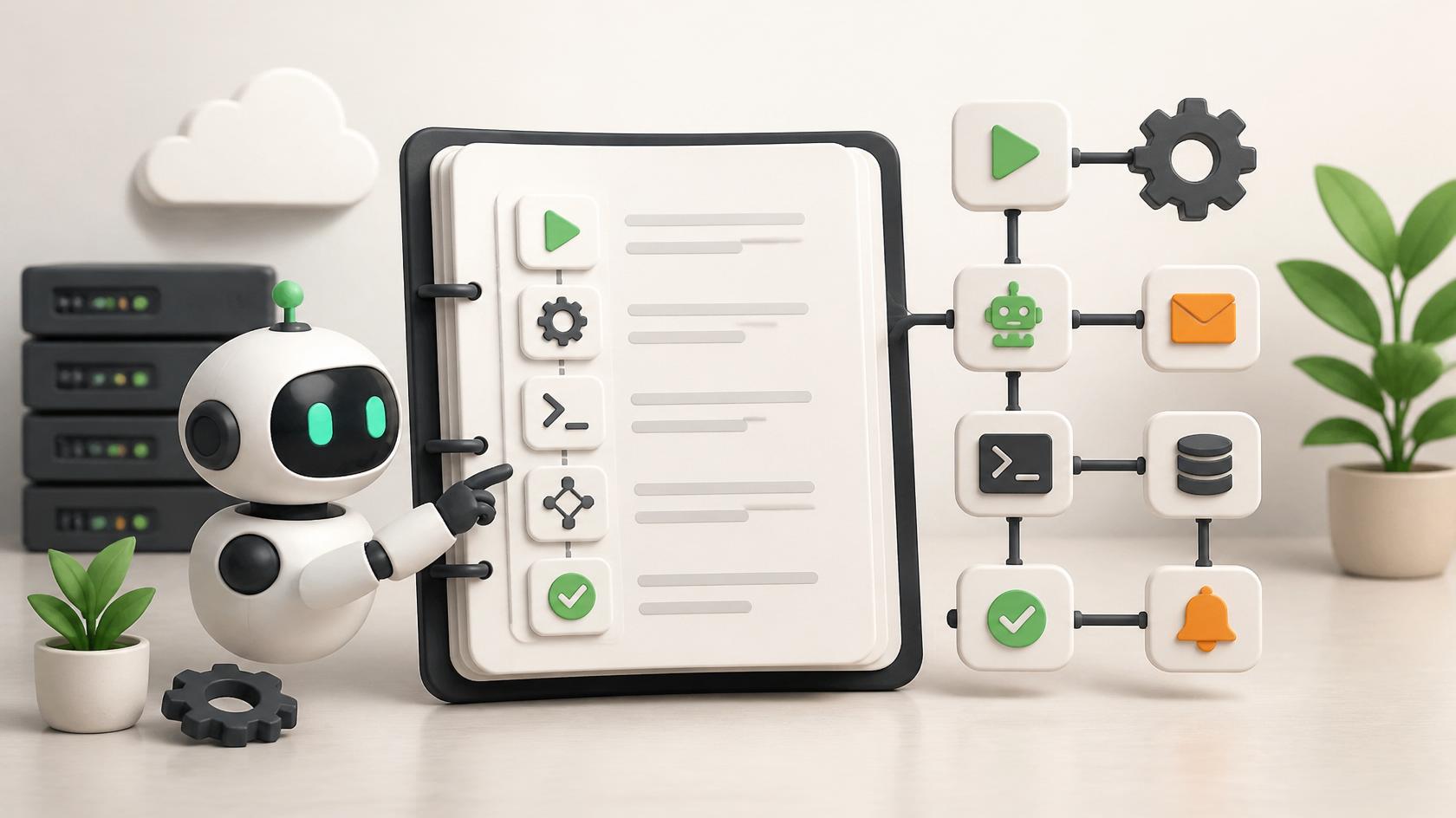
Runbook automation is the process of converting documented IT procedures into automated workflows that execute predefined tasks without manual intervention. A traditional runbook contains step-by-step instructions for handling operational activities, while runbook automation transforms those instructions into repeatable, automated processes.
Instead of requiring technicians to manually execute every step, automated runbooks perform tasks consistently, accurately, and much faster.
Common activities automated through runbook automation include:
- Server restarts
- User account provisioning
- Password resets
- Patch deployment
- Backup verification
- Service health checks
- Security policy enforcement
- Incident remediation
This automation reduces repetitive work while improving operational reliability.
Why Runbook Automation Matters
Today’s IT teams manage increasingly distributed environments consisting of cloud platforms, hybrid infrastructure, remote endpoints, mobile devices, and SaaS applications. Manual operations simply cannot keep pace with growing complexity.
Runbook automation helps organizations address challenges such as:
- Limited IT resources
- Increasing security threats
- Growing ticket volumes
- Longer incident resolution times
- Operational inconsistencies
- Human error
By automating repetitive workflows, organizations can improve both productivity and service quality.
Key Benefits of Runbook Automation
Faster Incident Response
One of the greatest advantages of runbook automation is speed.
When an incident occurs, automated workflows can immediately perform predefined actions such as restarting failed services, isolating compromised devices, or notifying stakeholders.
This significantly reduces Mean Time to Resolution (MTTR).
Reduced Human Error
Manual processes often introduce mistakes due to fatigue or inconsistent execution.
Runbook automation performs tasks exactly as configured every time.
Improved Operational Consistency
Standardized workflows ensure every technician follows the same process.
This improves compliance and service quality across the organization.
Higher Productivity
Routine operational tasks no longer consume valuable engineering time.
Teams can focus on innovation, optimization, and strategic projects.
Better Business Continuity
Automated remediation helps restore services more quickly, minimizing business disruption.
How Runbook Automation Works
Runbook automation combines predefined workflows with automation platforms that monitor systems and trigger actions based on specific conditions.
A typical automated workflow follows these steps:
- Detect an event or alert.
- Evaluate predefined conditions.
- Execute automated tasks.
- Verify successful completion.
- Notify relevant stakeholders.
- Generate reports and audit logs.
For example, if a web server becomes unavailable, the automation platform can:
- Detect the outage.
- Restart the affected service.
- Verify connectivity.
- Escalate the issue if the problem persists.
- Document every action automatically.
This reduces response times from several minutes to just a few seconds.
Core Components of Runbook Automation
Successful runbook automation relies on several key elements.
Workflow Automation
Workflow automation defines the sequence of actions required to complete a task.
These workflows can include approvals, conditional logic, scheduling, and integrations with third-party systems.
Event Monitoring
Automation platforms continuously monitor infrastructure for predefined events.
Triggers may include:
- High CPU utilization
- Disk space shortages
- Failed login attempts
- Network outages
- Application errors
Decision Logic
Conditional logic determines which actions should occur under different circumstances.
For example:
- Restart a service if CPU usage exceeds 95%.
- Create a ticket if automated recovery fails.
- Escalate to senior engineers after three unsuccessful attempts.
Integration Capabilities
Modern runbook automation platforms integrate with:
- IT service management (ITSM) tools
- Security Information and Event Management (SIEM) platforms
- Endpoint management solutions
- Cloud providers
- Monitoring software
- Collaboration platforms
These integrations create seamless operational workflows.
Runbook Automation and Cybersecurity
Cybersecurity teams increasingly rely on runbook automation to respond quickly to emerging threats.
Security automation reduces response times while ensuring consistent execution of critical procedures.
Common cybersecurity use cases include:
Automated Threat Containment
When malware is detected, automation can:
- Isolate the affected endpoint.
- Disable compromised user accounts.
- Block malicious IP addresses.
- Notify security teams.
Vulnerability Remediation
Runbook automation can automatically deploy security patches or enforce configuration changes when vulnerabilities are identified.
Compliance Enforcement
Automated workflows verify that systems remain compliant with organizational policies and regulatory requirements.
Security Alert Response
By integrating with security orchestration, incident response automation, and IT workflow automation platforms, runbook automation enables security teams to respond to alerts more efficiently while reducing manual effort.
Common Use Cases for Runbook Automation
Organizations across industries use runbook automation to streamline operations.
Infrastructure Management
Automate server maintenance, health checks, and resource optimization.
User Lifecycle Management
Provision and deprovision user accounts automatically.
Backup Operations
Schedule and verify backup completion without manual oversight.
Patch Management
Deploy updates across multiple endpoints while maintaining compliance.
Cloud Operations
Automate resource provisioning, scaling, and configuration management.
Help Desk Operations
Resolve common service requests automatically, reducing ticket volumes and improving user satisfaction.
Runbook Automation for Managed Service Providers
Managed Service Providers (MSPs) manage hundreds or even thousands of endpoints, servers, and applications across multiple customer environments. Performing routine maintenance manually is time-consuming and increases operational costs. Runbook automation enables MSPs to standardize service delivery while improving efficiency and scalability.
Centralized Operations
Automation platforms allow MSPs to execute standardized workflows across multiple customer environments from a single console. This reduces complexity while improving operational consistency.
Faster Ticket Resolution
Many support requests involve repetitive tasks such as password resets, software deployments, service restarts, and device configuration. Automated runbooks resolve these requests much faster than manual processes, improving customer satisfaction.
Improved SLA Performance
Service-level agreements (SLAs) often require rapid response and resolution times. Runbook automation helps technicians meet these commitments by initiating remediation immediately after an issue is detected.
Reduced Operational Costs
Automation minimizes repetitive manual work, allowing existing teams to support more customers without increasing staffing requirements.
Consistent Service Delivery
Every client receives the same standardized operational procedures, reducing errors and improving overall service quality.
Best Practices for Implementing Runbook Automation
Successful runbook automation requires careful planning and continuous improvement.
Identify Repetitive Tasks
Begin by identifying tasks that consume significant time and occur frequently.
Examples include:
- Restarting services
- Clearing temporary files
- User account provisioning
- Patch installation
- Backup verification
- Log collection
These activities typically deliver the quickest return on automation investments.
Document Existing Processes
Before automating a workflow, ensure the manual process is fully documented.
Each runbook should include:
- Trigger conditions
- Required inputs
- Decision points
- Recovery procedures
- Expected outcomes
Well-documented processes lead to more reliable automation.
Start Small
Rather than automating every process immediately, begin with low-risk operational tasks.
Early successes help teams gain confidence while minimizing implementation risks.
Test Thoroughly
Every automated workflow should be validated in a controlled environment before production deployment.
Testing should include:
- Successful execution
- Error handling
- Rollback procedures
- Security validation
- Performance verification
Monitor and Improve
Automation should evolve alongside business requirements.
Regular reviews help identify outdated workflows, optimize performance, and improve efficiency.
Challenges of Runbook Automation
Although the benefits are substantial, organizations may encounter several implementation challenges.
Legacy Infrastructure
Older systems may lack APIs or integration capabilities required for automation.
Complex Dependencies
Many operational processes involve multiple systems, making workflow design more challenging.
Resistance to Change
Some employees may hesitate to trust automated processes.
Proper training and communication help improve adoption.
Security Considerations
Automation platforms often require elevated permissions.
Organizations should implement:
- Role-based access control
- Multi-factor authentication
- Audit logging
- Least privilege principles
These controls help secure automation environments.
Maintaining Automation Workflows
Business environments constantly evolve.
Runbooks require periodic updates to remain accurate and effective.
Runbook Automation and Artificial Intelligence
Artificial intelligence is making runbook automation even more powerful.
Rather than relying solely on predefined workflows, AI enables automation platforms to make informed decisions using historical data and behavioral analysis.
Intelligent Incident Classification
AI can automatically categorize incidents based on severity, business impact, and historical patterns.
Predictive Maintenance
Machine learning identifies warning signs before failures occur, allowing automated remediation to prevent downtime.
Automated Root Cause Analysis
AI analyzes related events to determine the most likely cause of operational issues.
Adaptive Automation
Future platforms will dynamically adjust workflows based on changing infrastructure conditions and previous outcomes.
This combination of AI and runbook automation significantly improves operational resilience.
Measuring the Success of Runbook Automation
Organizations should establish measurable objectives to evaluate automation effectiveness.
Mean Time to Resolution (MTTR)
Successful runbook automation should reduce incident resolution times.
Mean Time to Detect (MTTD)
Automation accelerates issue detection through continuous monitoring.
Automation Success Rate
Track how many workflows complete successfully without human intervention.
Operational Cost Savings
Measure reductions in manual labor, overtime, and support expenses.
Ticket Volume Reduction
Automated service fulfillment often decreases the number of repetitive support requests reaching the help desk.
Employee Productivity
Engineers should spend more time on innovation and strategic projects rather than repetitive operational work.
Industries Benefiting from Runbook Automation
Runbook automation delivers value across many industries.
Healthcare
Healthcare organizations automate system monitoring, compliance checks, backup verification, and medical application support.
Financial Services
Banks automate security monitoring, compliance reporting, and infrastructure maintenance to improve operational reliability.
Manufacturing
Manufacturers use automation to monitor production systems, industrial devices, and operational technology infrastructure.
Retail
Retail businesses automate point-of-sale monitoring, software deployment, and inventory system maintenance across multiple locations.
Government
Government agencies improve security operations, compliance, and service availability through standardized automation workflows.
Future Trends in Runbook Automation
Technology continues to reshape automation capabilities.
Hyperautomation
Organizations increasingly combine robotic process automation (RPA), AI, and workflow orchestration to automate complex business operations.
Cloud-Native Automation
Cloud platforms provide scalable automation capabilities for hybrid and multi-cloud environments.
Self-Healing Infrastructure
Future systems will automatically detect, diagnose, and resolve operational issues without human intervention.
Security Orchestration Integration
Runbook automation will become more tightly integrated with security orchestration and incident response automation, enabling faster responses to evolving cyber threats.
Low-Code Automation
Modern platforms increasingly offer visual workflow builders, allowing IT teams to develop automation without extensive programming expertise.
Actionable Steps to Implement Runbook Automation
Organizations planning to adopt runbook automation should:
- Identify repetitive operational tasks.
- Prioritize high-impact automation opportunities.
- Document existing procedures thoroughly.
- Select an automation platform that integrates with current tools.
- Test workflows before deployment.
- Monitor automation performance continuously.
- Review and update runbooks regularly.
- Train IT teams on automation best practices.
- Integrate automation with security monitoring.
- Measure business outcomes using operational metrics.
Following these steps helps organizations maximize the value of their automation initiatives.
Frequently Asked Questions
Q1: What is runbook automation?
Runbook automation converts documented IT procedures into automated workflows that perform routine operational tasks without manual intervention.
Q2: How does runbook automation improve IT operations?
It reduces manual work, accelerates incident response, improves consistency, minimizes human error, and increases overall operational efficiency.
Q3: What tasks can be automated using runbook automation?
Common tasks include server restarts, software deployment, patch management, user provisioning, backup verification, log collection, compliance checks, and security response actions.
Q4: How does runbook automation support cybersecurity?
Runbook automation enables faster threat detection, automated incident response, vulnerability remediation, policy enforcement, and improved compliance through standardized security workflows.
Q5: Which organizations benefit most from runbook automation?
Enterprises, managed service providers, healthcare organizations, financial institutions, manufacturers, retailers, educational institutions, and government agencies all benefit from implementing runbook automation.
Final Thoughts
As IT environments continue to expand across cloud platforms, remote workforces, and distributed infrastructure, manual operations become increasingly difficult to manage. Runbook automation empowers organizations to streamline repetitive tasks, improve operational consistency, strengthen cybersecurity, and accelerate incident response. By integrating incident response automation, security orchestration, IT workflow automation, and infrastructure automation into daily operations, businesses can reduce downtime, improve service quality, and enable IT teams to focus on innovation rather than routine maintenance. Organizations that embrace runbook automation today will be better prepared to manage tomorrow’s operational challenges while delivering secure, efficient, and scalable IT services.
Experience smarter IT automation — start your free ITarian trial

 Loading...