What happens when employees report technical problems, but support requests get lost in emails, chats, or phone calls? Delayed responses, repeated issues, and frustrated users can quickly affect business productivity. An IT ticketing system solves these challenges by organizing support requests, assigning tasks, tracking progress, and helping technicians resolve issues faster.
Whether your organization manages a small office or thousands of endpoints, an IT ticketing system provides a structured approach to technical support. By combining help desk software, IT service management (ITSM), automated ticketing software, and IT support ticket management, businesses can improve service quality, reduce manual workloads, and maintain better control over daily IT operations.
What is an IT Ticketing System
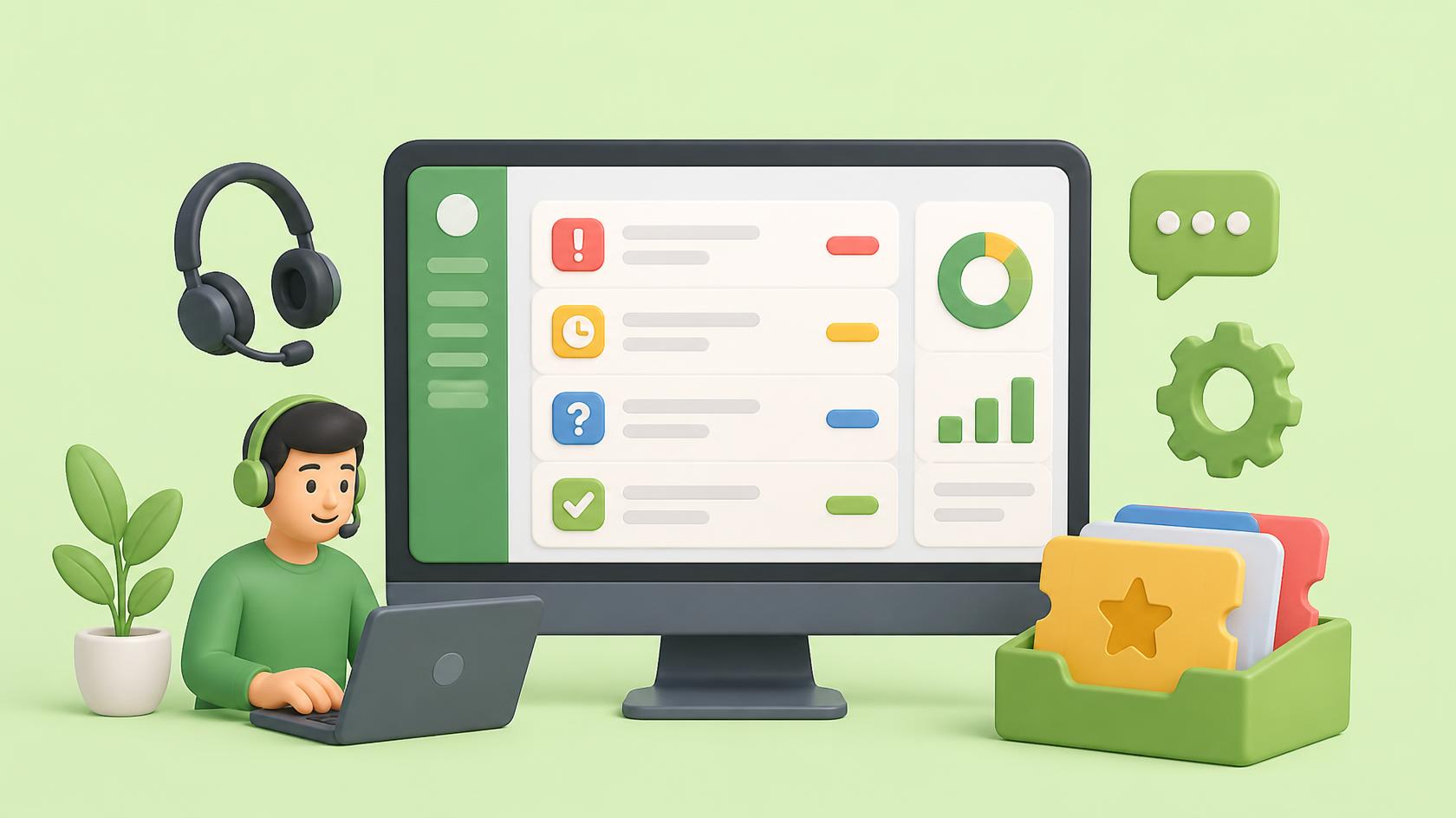
An IT ticketing system is a software platform that helps organizations record, organize, prioritize, assign, and resolve technical support requests. Each request becomes a ticket containing details about the reported problem, affected user, priority, assigned technician, and resolution status. Instead of managing issues through scattered emails or informal messages, support teams can work from a centralized dashboard.
For example, an employee experiencing a laptop connection problem can submit a ticket through a self-service portal or email. The system records the request, assigns it to the appropriate technician, and tracks its progress until resolution. This structured process improves accountability and prevents requests from being overlooked.
Why Businesses Need an IT Ticketing System
Modern businesses depend on technology for communication, collaboration, customer service, and daily operations. When technical problems occur, employees need timely assistance.
Without an organized support process, IT teams may struggle with:
- Missed support requests
- Duplicate tickets
- Slow response times
- Unclear task ownership
- Poor communication
- Inconsistent issue prioritization
- Limited performance visibility
- Repeated technical problems
An IT ticketing system helps overcome these challenges by creating a consistent workflow for every request. It also gives managers better visibility into technician workloads, unresolved issues, and service performance.
Key Features of an IT Ticketing System
The right ticketing platform should simplify support operations rather than introduce unnecessary complexity.
Centralized Ticket Management
A centralized dashboard allows technicians to view, update, and manage support requests from one location. Tickets can be organized by priority, category, status, department, or assigned technician. This reduces confusion and improves workload management.
Automated Ticket Assignment
Automated ticketing software can route incoming requests based on predefined rules. For example, password reset requests may go to the service desk, while network incidents are assigned to infrastructure specialists. Automation reduces manual sorting and helps tickets reach the right team faster.
SLA Management
Service Level Agreements define expected response and resolution targets. An IT ticketing system can track SLA deadlines and notify teams when tickets approach agreed limits. This helps organizations maintain consistent service standards.
Self-Service Portal
A self-service portal allows employees to submit requests, check ticket status, and access support resources. This improves transparency and reduces unnecessary follow-up messages.
Reporting and Analytics
Reporting tools help managers evaluate ticket volumes, response times, resolution rates, and technician performance. These insights support better planning and continuous improvement.
IT Ticketing System and Help Desk Software
Help desk software provides the tools needed to manage technical support requests and user communication. An IT ticketing system is often the central component of a help desk platform. Together, they help support teams manage the complete request lifecycle. Common help desk functions include:
- Ticket creation
- Issue categorization
- Technician assignment
- Status tracking
- User communication
- Escalation management
- Knowledge base access
- Resolution documentation
Improve Employee Support
Employees expect clear communication when technical issues affect their work. A well-designed help desk platform provides ticket updates, estimated next steps, and a consistent support experience. This reduces uncertainty and helps employees return to productive work sooner.
How an IT Ticketing System Works
A typical ticketing workflow follows several stages.
1. Ticket Creation
A user submits a support request through email, a portal, chat, or another supported channel.
The system creates a ticket containing the relevant information.
2. Categorization
The ticket is classified according to issue type.
Examples include hardware problems, software errors, network issues, and access requests.
3. Prioritization
The support team determines priority based on business impact and urgency.
A company-wide network outage generally requires faster attention than a routine software installation.
4. Assignment
The ticket is assigned to a technician or support group.
5. Investigation
The technician reviews the issue, gathers information, and identifies possible solutions.
6. Resolution
The technician completes the required action and documents the outcome.
7. Closure
The ticket is closed after the resolution is confirmed according to the organization’s support process.
This workflow helps maintain consistency across support operations.
Automated Ticketing Software for Faster Support
Manual ticket management can become difficult as organizations grow.
Automated ticketing software reduces repetitive tasks and improves workflow consistency.
Automation can support:
- Ticket categorization
- Priority assignment
- Technician routing
- SLA notifications
- Status updates
- Escalation rules
- Follow-up reminders
- Customer notifications
- Ticket closure workflows
Reduce Repetitive Work
Consider an organization receiving hundreds of similar support requests every week. Without automation, technicians may spend significant time reviewing, sorting, and assigning tickets. An automated workflow can handle these routine steps, allowing technicians to focus on troubleshooting and resolution. However, automation rules should be reviewed regularly to prevent incorrect routing or unnecessary notifications.
IT Service Management and Ticketing
IT service management (ITSM) focuses on planning, delivering, supporting, and improving IT services. An IT ticketing system supports ITSM by providing a structured way to manage incidents and service requests. Although ticketing and ITSM are closely connected, they are not identical. Ticketing primarily manages individual support records, while ITSM covers broader service processes.
These may include:
- Incident management
- Problem management
- Change management
- Service request management
- Knowledge management
- Asset management
- Service level management
Incident Management Versus Service Requests
An incident is an unplanned interruption or reduction in service quality. For example, an email server outage is an incident. A service request involves a standard request for assistance or access, such as installing approved software. Separating these categories helps teams apply suitable workflows and priorities.
IT Support Ticket Management Best Practices
Effective IT support ticket management requires clear processes and consistent execution.
Define Ticket Categories
Create meaningful categories for common issues.
Avoid overly complex classifications that make ticket submission difficult.
Establish Priority Rules
Use business impact and urgency to determine ticket priority.
This ensures critical incidents receive appropriate attention.
Assign Clear Ownership
Every active ticket should have a responsible technician or support group.
Maintain Accurate Documentation
Record troubleshooting steps, actions taken, and final resolutions.
Review Unresolved Tickets
Regularly examine open and overdue tickets to identify bottlenecks.
Collect User Feedback
Employee feedback helps teams identify service gaps and improve the support experience. These practices help organizations gain more value from their IT ticketing system.
IT Ticketing System for Remote Workforces
Remote and hybrid work environments create additional support challenges. Employees may experience connectivity issues, software failures, device problems, or access difficulties outside the office.
An IT ticketing system helps support teams manage these requests from a centralized platform. When integrated with remote support tools, technicians may be able to investigate and resolve certain problems without visiting the user’s location.
Benefits include:
- Faster remote assistance
- Centralized support records
- Improved communication
- Better ticket visibility
- Consistent service workflows
- Reduced travel requirements
Secure remote access and appropriate authentication remain essential when troubleshooting employee devices.
IT Ticketing System and Cybersecurity
Ticketing platforms also support cybersecurity operations. Security incidents often require coordinated investigation, remediation, documentation, and communication. An IT ticketing system can help teams track these activities.
Common security-related tickets include:
- Suspicious login activity
- Malware alerts
- Missing security patches
- Unauthorized software
- Access permission issues
- Endpoint protection failures
- Vulnerability remediation tasks
Improve Security Incident Coordination
When security monitoring identifies a problem, an integrated workflow can create a ticket for investigation. The ticket may contain affected asset information, alert details, severity, and assigned responsibilities. However, sensitive security data should only be accessible to authorized personnel. Ticketing supports incident coordination but does not replace dedicated threat detection or security response technologies.
Integration with RMM and Endpoint Management
Remote Monitoring and Management platforms help IT teams monitor endpoints, detect technical issues, and perform maintenance tasks. Integrating RMM with an IT ticketing system can connect monitoring alerts with support workflows.
For example:
- A monitoring tool detects a device problem.
- An alert is generated.
- A support ticket is created.
- The ticket is assigned to a technician.
- The technician investigates the endpoint.
- The issue is resolved and documented.
This connection reduces manual ticket creation and improves operational visibility. It can be especially useful for organizations managing large numbers of devices.
IT Ticketing System for MSPs
Managed Service Providers support multiple customers with different infrastructure, security, and service requirements. An IT ticketing system helps MSPs manage customer requests while maintaining clear service boundaries.
Important capabilities include:
- Multi-customer ticket management
- Customer-specific SLA tracking
- Automated ticket routing
- Technician workload management
- Remote support integration
- Service reporting
- Customer communication
- Role-based access controls
Improve MSP Service Scalability
As an MSP gains customers, support ticket volumes often increase. Standardized workflows and automation help technicians manage additional requests without relying entirely on manual processes. This supports consistent service delivery and better operational efficiency.
Benefits of an IT Ticketing System for Business Growth
Ticketing software provides value beyond resolving technical problems.
Improved Productivity
Employees can report issues quickly, while technicians work through organized queues.
Better Accountability
Each ticket has an owner, status, and recorded history.
Faster Issue Resolution
Automation, categorization, and escalation rules help reduce unnecessary delays.
Stronger Communication
Users receive clearer updates about their requests.
Better Resource Planning
Managers can identify recurring issues and adjust staffing or workflows.
Improved Service Quality
Consistent support processes create a more reliable employee experience.
These benefits make an IT ticketing system an important part of modern business operations.
Key Metrics to Measure Ticketing Performance
Organizations should regularly evaluate the performance of their support processes.
Important metrics include:
- First Response Time: Time taken to provide the initial support response.
- Mean Time to Resolution: Average time required to resolve tickets.
- First Contact Resolution Rate: Percentage of issues resolved during the first interaction.
- SLA Compliance Rate: Percentage of tickets meeting agreed service targets.
- Ticket Backlog: Number of unresolved support requests.
- Ticket Reopen Rate: Percentage of tickets reopened after closure.
- Customer Satisfaction Score: User feedback on support quality.
- Technician Workload: Distribution of tickets across support staff.
Tracking these metrics helps identify service bottlenecks and improvement opportunities.
How to Choose the Right IT Ticketing System
Selecting an appropriate platform requires understanding your organization’s support requirements.
Consider the following factors.
Ease of Use
Technicians and employees should be able to navigate the system without extensive training.
Automation Capabilities
Look for useful features such as routing, notifications, escalation, and workflow automation.
Integration Options
Evaluate compatibility with monitoring, endpoint management, identity, and communication platforms.
Security Controls
Review access permissions, authentication options, audit logs, and data protection features.
Scalability
Choose software that can support increasing ticket volumes, users, and managed assets.
Reporting Features
Ensure the platform provides actionable performance information.
Total Cost
Consider licensing, implementation, training, integrations, and ongoing administration. A short pilot can help determine whether the platform supports real support workflows.
Future Trends in IT Ticketing Systems
Ticketing technology continues to evolve as organizations seek faster and more efficient support.
AI-Assisted Ticket Management
AI capabilities can help classify tickets, summarize conversations, and suggest possible resolutions.
Intelligent Automation
Workflow automation can reduce repetitive administrative tasks.
Self-Service Support
Knowledge bases and employee portals can help users resolve common problems independently.
Predictive Incident Management
Monitoring integrations may help teams identify recurring technical problems before they cause wider disruption.
Unified IT Operations
Ticketing platforms will increasingly connect service management with endpoint monitoring, asset information, and operational workflows. These developments can help support teams deliver more consistent service.
Frequently Asked Questions
Q1: What is an IT ticketing system?
An IT ticketing system is software that helps organizations record, organize, assign, track, and resolve technical support requests through a centralized workflow.
Q2: What are the main benefits of an IT ticketing system?
Key benefits include faster support, improved accountability, better communication, automated workflows, SLA tracking, and greater visibility into service performance.
Q3: What is the difference between help desk software and an IT ticketing system?
Help desk software supports broader technical assistance activities, while an IT ticketing system focuses on managing individual support requests and their resolution lifecycle.
Q4: Can an IT ticketing system integrate with RMM software?
Yes. Compatible integrations can connect endpoint monitoring alerts with ticket creation, technician assignment, troubleshooting, and resolution tracking.
Q5: Is an IT ticketing system useful for small businesses?
Yes. Small businesses can use ticketing software to organize support requests, reduce missed issues, improve response times, and establish consistent service processes.
Final Thoughts
Reliable technical support plays an important role in employee productivity, cybersecurity, and business continuity. When support requests are scattered across different communication channels, resolving issues becomes harder and service quality may suffer. An IT ticketing system provides a structured solution by centralizing requests, automating routine activities, tracking responsibilities, and improving communication between users and technicians.
By combining help desk software, IT service management, automated ticketing software, and IT support ticket management, organizations can reduce operational complexity and create a more consistent support experience. The best results come from clear ticketing workflows, meaningful automation, accurate documentation, and regular performance reviews. Businesses should begin with their most common support challenges, establish measurable service targets, and continuously improve their processes.
With the right approach, an IT ticketing system can help organizations resolve issues faster, improve service quality, and maintain better control over their technology environments.
Take control of your IT environment — begin your ITarian free trial

 Loading...