Imagine your website goes down. No hackers breached the firewall. No data stolen. Yet, your digital doors are shut—and every second means lost revenue.
You may be experiencing a Denial-of-Service (DOS) attack—a stealthy yet powerful cyber threat used to paralyze digital systems.
So, what is DOS attack, exactly? Whether you’re an IT manager, cybersecurity analyst, or tech-savvy CEO, understanding this threat is critical for business continuity and digital defense.
What is DOS Attack?
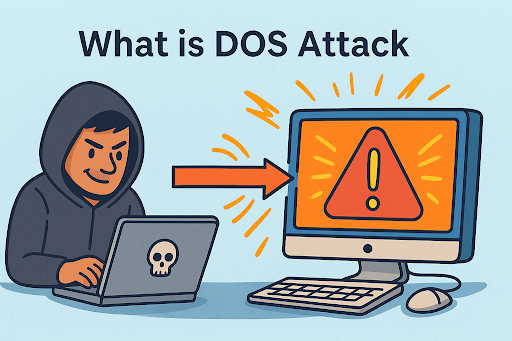
A DOS attack (Denial-of-Service attack) is a cyberattack that aims to make a website, server, or network resource unavailable to users by overwhelming it with excessive traffic or malicious requests.
Unlike data breaches or ransomware attacks, a DOS attack doesn’t steal information—it cripples your systems, making them unusable.
How It Works (In Simple Terms)
Think of a DOS attack like a traffic jam on a highway. Too many cars (requests) block the road (server), preventing legitimate users from reaching their destination (the service).
This form of attack is especially dangerous for:
- E-commerce platforms
- Online banking systems
- SaaS providers
- Healthcare systems
- Government portals
How DOS Attacks Work
To grasp the damage potential, you must understand how DOS attacks work under the hood.
Step-by-Step Breakdown:
- Target Selection – The attacker identifies a vulnerable server, site, or service.
- Attack Launch – They flood the target with requests (e.g., ping, HTTP, SYN packets).
- System Overload – The target can’t process the traffic, causing downtime or crashes.
- User Denial – Legitimate users get timed out or error messages.
Some DOS attacks use botnets (networks of hijacked computers) to increase traffic volume. These are technically DDoS attacks (Distributed Denial-of-Service), but the core principle remains: deny access by overwhelming resources.
Types of DOS Attacks
There are several types of DOS attacks, each exploiting different system vulnerabilities.
1. Volume-Based Attacks
Flood bandwidth using massive amounts of traffic.
- Example: UDP Flood, ICMP Flood (Ping of Death)
2. Protocol Attacks
Exploit weaknesses in protocols to exhaust server resources.
- Example: SYN Flood, Ping of Death, Smurf Attack
3. Application Layer Attacks
Target the application layer (Layer 7 of the OSI model), exhausting server memory and CPU.
- Example: HTTP Flood, Slowloris
4. Logic or Software Exploits
Exploit software bugs to crash or destabilize a system.
- Example: Malformed packet attacks, buffer overflow
Note: Although DDoS attacks are more common today, understanding single-source DOS attacks is still critical—they often serve as test runs for larger campaigns.
Real-World Examples of DOS Attacks
🛍️ Amazon (2010)
Anonymous launched a DOS attack to protest actions against WikiLeaks, briefly disrupting Amazon’s servers.
💳 Banking Sector (2012–13)
U.S. financial institutions were hit with persistent DOS attacks that disrupted customer access and caused reputational damage.
🎮 Sony PlayStation Network (2014)
The gaming network was knocked offline, affecting millions during the holiday season.
These cases show one thing: even global brands can fall prey to these digital blockades.
Preventing DOS Attacks: A Proactive Defense Plan
1. Use a Web Application Firewall (WAF)
Filters out malicious traffic before it hits your servers.
2. Rate Limiting
Restrict the number of requests from a single IP within a set timeframe.
3. Load Balancing
Distributes traffic across multiple servers, minimizing strain.
4. Intrusion Detection Systems (IDS)
Detects unusual traffic spikes and alerts admins in real-time.
5. Traffic Analysis Tools
Monitor patterns to identify red flags like:
- Sudden spikes from a single region
- Repeated requests for the same page
6. Geo-blocking
Block traffic from specific countries if threats originate there frequently.
7. Cloud-Based Mitigation (CDN Protection)
Services like Cloudflare, Akamai, and Itarian offer:
- DDoS protection
- Redundancy
- Dynamic traffic routing
How to Respond During a DOS Attack
✅ Step 1: Identify the Attack
Use monitoring tools to verify the traffic volume and origin.
✅ Step 2: Isolate the Threat
Redirect or limit traffic from suspicious sources.
✅ Step 3: Inform Stakeholders
Update customers, partners, and internal teams with incident status.
✅ Step 4: Engage Your Hosting Provider
Many cloud or hosting vendors have built-in protection protocols and can help mitigate.
✅ Step 5: Document and Report
File incident reports, audit logs, and—if needed—inform authorities (especially in regulated sectors).
Why DOS Attacks Matter to Executives
If you’re a CEO or founder, the business impact of a DOS attack includes:
- Downtime Costs: Every minute offline means lost sales and broken SLAs.
- Brand Damage: Customers lose trust when your platform fails.
- Security Audits: Regulatory fines may apply in sectors like finance or healthcare.
- Incident Response Costs: Mitigation, forensic analysis, and prevention can rack up high costs.
Cyber resilience is a leadership issue, not just an IT one.
Call to Action
Are your digital defenses ready for the next DDoS attack?
👉 Secure your infrastructure now with Itarian’s threat protection platform
From firewall defense to DDoS mitigation, Itarian helps businesses stay online and secure.
Frequently Asked Questions (FAQ)
1. What is a DOS attack in simple terms?
A DOS attack is when a hacker floods a system with too many requests, crashing it or making it unavailable to real users.
2. How are DOS and DDoS different?
A DOS attack comes from a single source, while a DDoS (Distributed Denial-of-Service) attack comes from multiple machines, often using a botnet.
3. How can I detect a DOS attack?
Look for signs like sudden traffic spikes, server slowdowns, or services becoming unreachable.
4. Can an antivirus stop DOS attacks?
Not directly. DOS attacks are network-based. You need firewalls, intrusion detection systems, and rate-limiting tools for proper defense.
5. How can businesses prevent DOS attacks?
Use a combination of WAFs, traffic monitoring, CDNs, and rate-limiting to mitigate threats and protect uptime.

 Loading...