Hybrid IT Management: Secure and Connected IT Operations
Updated on September 25, 2026, by ITarian
Modern businesses rarely operate in a single technology environment. Some workloads remain on-premises, others run in public or private clouds, and employees often rely on SaaS applications from multiple locations. Managing all of this can quickly become complex. Hybrid IT management gives organizations a structured way to monitor, secure, automate, and support resources across both cloud and traditional infrastructure. By combining hybrid cloud management, IT infrastructure management, cloud operations management, and endpoint management, businesses can improve visibility, reduce operational silos, and deliver more reliable services. For IT managers, cybersecurity professionals, MSPs, CEOs, and founders, hybrid IT management creates the control needed to support growth without losing oversight.
What is Hybrid IT Management
Hybrid IT management is the practice of managing technology across a combination of on-premises infrastructure, cloud platforms, SaaS applications, endpoints, and remote environments.
A hybrid environment may include:
- Physical servers
- Virtual machines
- Public cloud workloads
- Private cloud infrastructure
- SaaS applications
- Laptops and desktops
- Mobile devices
- Network equipment
- Remote offices
The goal is to create a consistent operational approach across systems that may otherwise be managed separately.
Without a unified strategy, organizations can end up with fragmented tools, inconsistent security policies, and limited visibility.
Why Hybrid IT Management Matters
Businesses adopt hybrid environments for many reasons.
Some workloads may need to stay on-premises because of compliance, latency, or legacy application requirements. Other services may benefit from cloud scalability and flexibility.
The challenge is maintaining control across both environments.
Without effective hybrid IT management, teams often face:
- Separate monitoring tools
- Inconsistent patching
- Limited asset visibility
- Manual workflows
- Security gaps
- Duplicate alerts
- Higher support costs
- Slow incident response
A centralized strategy helps IT teams manage complexity without forcing every workload into the same platform.
Core Components of Hybrid IT Management
A strong hybrid strategy usually combines several management disciplines.
Hybrid Cloud Management
Hybrid cloud management focuses on operating cloud and on-premises resources together.
Teams may need visibility into:
- Cloud instances
- Virtual machines
- Storage
- Databases
- Containers
- Network connectivity
- Application performance
The objective is to understand how workloads interact across environments.
IT Infrastructure Management
Traditional infrastructure remains important in many organizations.
IT infrastructure management includes:
- Servers
- Storage
- Networks
- Data centers
- Virtualization
- Operating systems
Hybrid IT management connects this infrastructure with cloud resources instead of treating each environment as a separate island.
Endpoint Management
Endpoints often connect both worlds.
Employees may use company laptops to access local applications, cloud platforms, and SaaS services.
Centralized endpoint management helps organizations maintain consistent security and support across distributed devices.
Centralized Visibility Across Hybrid Environments
Visibility is one of the biggest challenges in hybrid environments.
A team may monitor on-premises servers using one tool, cloud workloads through another, and endpoints using a third.
This creates information silos.
Effective hybrid IT management should provide a broader view of:
- Asset status
- Service availability
- Performance
- Security posture
- Configuration changes
- Patch compliance
- Incidents
- Dependencies
Build a Unified Inventory
A reliable inventory should include both physical and cloud assets.
Useful fields may include:
- Asset type
- Owner
- Location
- Operating system
- Cloud account
- Application role
- Security status
- Lifecycle stage
A unified inventory improves troubleshooting and governance.
Hybrid IT Management and Automation
Automation helps teams manage larger environments without increasing manual effort at the same rate.
Common automation use cases include:
- Patch deployment
- Server health checks
- Software installation
- Service restarts
- Ticket creation
- Asset updates
- Backup verification
- User provisioning
A strong hybrid IT management platform can connect these workflows across different environments.
Reduce Repetitive Work
For example, if monitoring detects a failed service on a cloud-hosted server, automation can:
- Generate an alert.
- Run a diagnostic check.
- Restart the service.
- Verify recovery.
- Create a ticket if the issue continues.
This reduces response time and technician workload.
Strengthening Security Across Hybrid IT
Security becomes more difficult when systems are spread across multiple platforms and locations.
Organizations need consistent policies without assuming every environment works the same way.
A strong hybrid IT management strategy should support:
- Identity controls
- Patch management
- Endpoint protection
- Configuration monitoring
- Access reviews
- Vulnerability management
- Audit logging
Apply Least Privilege
Users and administrators should receive only the access they need.
This applies to:
- Cloud consoles
- On-premises systems
- Remote access
- Administrative tools
- Business applications
Reducing unnecessary privileges limits the impact of compromised accounts.
Maintain Patch Compliance
Hybrid environments often include multiple operating systems and applications.
Teams need a consistent way to track:
- Missing patches
- Failed updates
- Unsupported systems
- Patch age
- Exceptions
This helps reduce exposure to known vulnerabilities.
Cloud Operations Management in a Hybrid Model
Cloud operations management becomes an important part of hybrid IT.
Cloud workloads can scale quickly, which makes continuous monitoring essential.
Teams should monitor:
- Resource usage
- Application performance
- Service availability
- Storage growth
- Network latency
- Cost trends
However, cloud monitoring should not operate in isolation.
A customer-facing application may depend on both cloud resources and on-premises databases.
Hybrid visibility makes these dependencies easier to understand.
Incident Management Across Hybrid Environments
Incidents are harder to resolve when teams cannot quickly identify where a problem began.
A slow application may result from:
- Cloud resource limits
- Network issues
- Database performance
- Endpoint problems
- Authentication failures
Hybrid IT management brings together operational context so technicians can investigate faster.
Correlate Related Events
Instead of treating every alert as a separate problem, teams can correlate events across systems.
This reduces alert fatigue and makes root cause analysis more effective.
Hybrid IT Management for Remote Work
Remote and hybrid work has made centralized management even more important.
Employees may connect from:
- Home offices
- Branch locations
- Customer sites
- Public networks
Their devices may rarely connect directly to the corporate network.
Hybrid IT management helps teams monitor and support these users remotely.
Benefits include:
- Remote troubleshooting
- Software deployment
- Patch management
- Device inventory
- Security monitoring
This allows organizations to maintain consistent support regardless of location.
Hybrid IT Management for MSPs
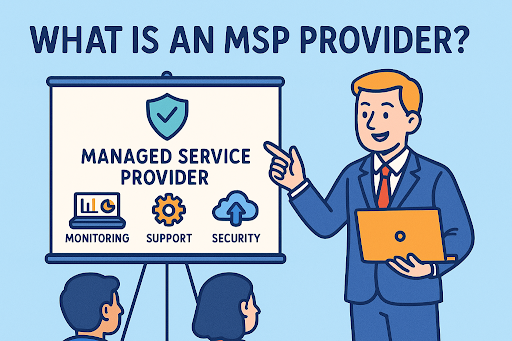
Managed Service Providers often manage even more complex environments because each client may use different combinations of cloud and on-premises technology.
A centralized hybrid management approach can help MSPs:
- Monitor multiple clients
- Standardize workflows
- Automate maintenance
- Track assets
- Manage tickets
- Improve reporting
- Strengthen security
Improve Client Reporting
MSPs can provide customers with reports covering:
- Endpoint health
- Cloud resource status
- Patch compliance
- Incident history
- Asset inventory
This improves transparency and demonstrates ongoing service value.
Key Metrics to Measure Hybrid IT Performance
Organizations should measure whether their hybrid strategy is improving operations.
Useful metrics include:
Mean Time to Detect
Measures how quickly issues are identified.
Mean Time to Resolution
Shows how efficiently teams restore services.
Patch Compliance Rate
Tracks whether systems remain up to date.
Resource Utilization
Helps identify underused or overloaded systems.
Incident Volume
Reveals recurring operational problems.
Automation Success Rate
Shows how often automated workflows complete without intervention.
Service Availability
Measures whether critical systems remain accessible.
These metrics help leadership identify where improvements are needed.
Common Challenges in Hybrid IT Management
Hybrid environments provide flexibility, but they also create complexity.
Tool Sprawl
Too many disconnected tools make visibility harder.
Organizations should reduce duplicate management platforms where possible.
Data Silos
Asset, monitoring, ticketing, and security data may exist in separate systems.
Integration helps create a more complete operational picture.
Skills Gaps
Teams may need expertise across both traditional infrastructure and cloud platforms.
Training is essential.
Inconsistent Policies
Different environments may use different security and maintenance standards.
Organizations should establish common governance while allowing platform-specific implementation.
Best Practices for Hybrid IT Management
A successful strategy starts with clear operational priorities.
1. Create a Complete Inventory
Know what you manage before trying to automate it.
2. Centralize Monitoring
Bring critical infrastructure, cloud, and endpoint signals into a unified view.
3. Standardize Policies
Define common expectations for patching, access, security, and reporting.
4. Automate Repetitive Tasks
Start with predictable, low-risk workflows.
5. Integrate Service Management
Connect monitoring with ticketing and incident workflows.
6. Review Security Continuously
Hybrid environments change frequently.
Policies and access should be reviewed regularly.
7. Track Costs
Cloud and on-premises resources both create ongoing expenses.
Visibility helps improve budgeting.
8. Measure Results
Use operational metrics to determine whether management processes are improving.
Future Trends in Hybrid IT Management
Hybrid environments will continue evolving.
AI-Assisted Operations
AI will help teams:
- Prioritize alerts
- Detect anomalies
- Summarize incidents
- Recommend remediation
Greater Automation
Organizations will increasingly automate routine maintenance and service workflows.
Unified Observability
Monitoring will move toward integrated views of applications, infrastructure, endpoints, and cloud services.
Zero Trust Adoption
Identity and device posture will become even more important as traditional network boundaries continue to disappear.
Multi-Cloud Management
Organizations may use several cloud providers alongside on-premises infrastructure.
Management platforms will need to provide broader cross-platform visibility.
Actionable Tips for Better Hybrid IT Management
Organizations can improve hybrid operations with practical steps:
- Inventory all cloud and on-premises assets.
- Centralize monitoring data.
- Standardize patching policies.
- Automate repetitive maintenance.
- Integrate incident and asset systems.
- Apply least privilege.
- Review cloud usage regularly.
- Track service dependencies.
- Monitor remote endpoints.
- Measure operational performance.
These steps help reduce complexity while improving control.
Frequently Asked Questions
Q1: What is hybrid IT management?
Hybrid IT management is the process of monitoring, securing, automating, and supporting technology across both on-premises and cloud environments.
Q2: Why is hybrid IT management important?
It improves visibility, reduces operational silos, supports security, increases automation, and helps teams manage complex environments more efficiently.
Q3: What tools are used for hybrid IT management?
Organizations may use monitoring platforms, endpoint management tools, cloud management systems, ITSM software, asset management solutions, and security platforms.
Q4: How does hybrid IT management improve security?
It helps enforce consistent policies, track assets, maintain patch compliance, monitor endpoints, and manage access across different environments.
Q5: Can hybrid IT management help MSPs?
Yes. MSPs can use hybrid management platforms to monitor clients, automate maintenance, improve reporting, and manage diverse cloud and on-premises environments from a centralized view.
Final Thoughts
Modern businesses need flexibility, but flexibility without visibility creates risk. Hybrid IT management gives organizations a practical way to manage cloud services, traditional infrastructure, endpoints, and remote users through a more connected operational model.
By combining hybrid cloud management, IT infrastructure management, cloud operations management, and endpoint management, teams can reduce silos, improve automation, strengthen security, and respond more quickly to operational issues.
The strongest strategy begins with accurate inventory and centralized visibility. From there, organizations can automate routine work, standardize policies, measure performance, and continuously improve. As hybrid environments continue to grow, this unified approach will become increasingly important for maintaining reliable and secure technology operations.

 Loading...