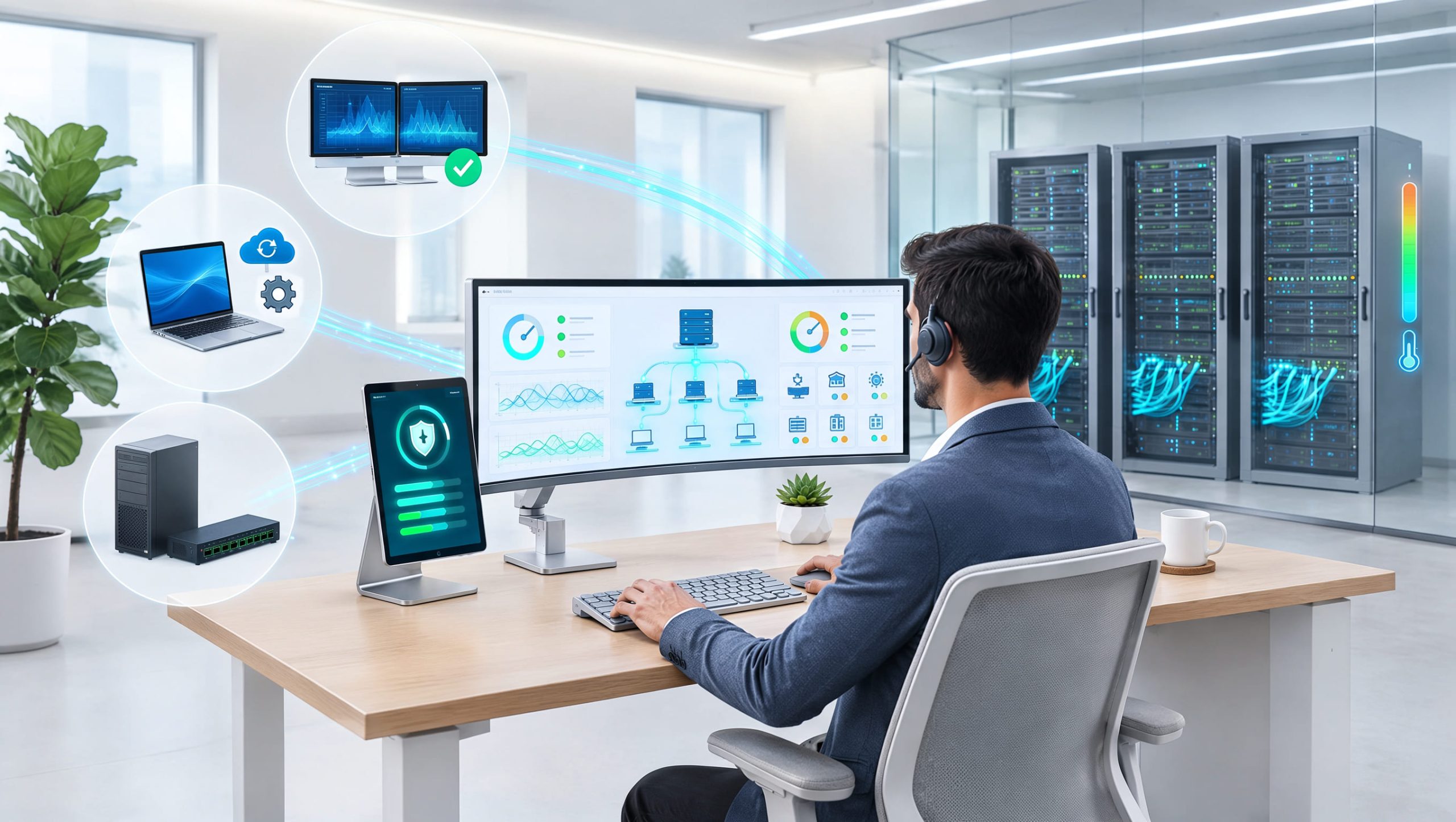
Are your technicians spending more time fixing recurring problems than delivering value to customers? As managed service providers grow, handling hundreds or thousands of endpoints becomes harder. Choosing the best RMM software for MSPs can help solve this challenge by bringing monitoring, patch management, remote support, and automation into one platform.
Modern MSPs need more than basic device monitoring. They need tools that detect issues early, reduce manual work, and support secure service delivery. The right platform combines remote monitoring and management, MSP management software, automated patch management, and endpoint management software to improve daily operations.
This article explores the features, benefits, leading options, and selection criteria that help MSPs choose RMM software suited to their business needs.
What is RMM Software for MSPs
Remote Monitoring and Management (RMM) software allows MSPs to monitor, maintain, and support customer devices from a central dashboard. Instead of visiting customer locations for every technical issue, technicians can manage many tasks remotely.
Common RMM capabilities include:
- Endpoint health monitoring
- Remote troubleshooting
- Automated patch deployment
- Performance alerts
- Device inventory
- Software management
- Maintenance scripting
- System reporting
The best RMM software for MSPs helps technicians manage multiple customer environments while maintaining clear access controls and consistent service standards. For example, an RMM platform may detect low disk space on a customer server. It can notify the support team before the issue causes a major service disruption. This proactive approach improves reliability and reduces unnecessary support work.
Why MSPs Need Reliable RMM Software
MSPs manage different customer environments, each with unique devices, applications, and security requirements. Without centralized management, technicians may struggle with disconnected monitoring tools, manual updates, and repeated support requests.
A reliable RMM platform helps MSPs:
- Monitor multiple customers from one console.
- Identify problems before users report them.
- Deploy approved updates remotely.
- Reduce on-site support visits.
- Standardize device maintenance.
- Improve technician productivity.
- Track endpoint health.
- Generate customer service reports.
The best RMM software for MSPs should also support business growth without adding unnecessary complexity. As customer numbers increase, automation becomes especially valuable because it allows technicians to manage more endpoints efficiently.
Essential Features of the Best RMM Software for MSPs
1. Real-Time Endpoint Monitoring
Continuous monitoring helps technicians identify performance issues, service failures, and unusual device conditions. Useful monitoring capabilities include CPU usage, memory consumption, disk capacity, service availability, and network connectivity. Alerts should be configurable so technicians receive meaningful notifications instead of excessive noise.
2. Automated Patch Management
Automated patch management helps MSPs deploy operating system and supported application updates. A strong platform should provide scheduling, approval controls, deployment status, and failure reporting. Patch testing is also important, especially for critical business systems.
3. Secure Remote Access
Remote access allows technicians to troubleshoot devices without traveling to customer offices. MSPs should evaluate connection security, session permissions, authentication, and activity logging.
4. Automation and Scripting
Scripts can automate routine maintenance, software deployment, and health checks. The best RMM software for MSPs should make automation manageable, auditable, and safe to deploy.
5. Multi-Customer Management
MSPs need clear separation between customer environments. Customer-specific policies, technician permissions, and reporting help prevent administrative mistakes.
6. Reporting and Analytics
Reports provide visibility into endpoint health, patch compliance, alert trends, and maintenance activities. They also help MSPs demonstrate the value of their services.
Best RMM Software for MSPs: Leading Platforms to Consider
Several established RMM platforms serve managed service providers. Each has different strengths, workflows, and licensing approaches. The following options are worth evaluating rather than treating any single product as universally best.
ITarian
ITarian provides remote monitoring, endpoint administration, patch management, remote support, and service desk capabilities. It can appeal to MSPs seeking connected workflows for device monitoring and technical support. Organizations should evaluate its supported operating systems, automation options, licensing, and integrations against their service requirements.
NinjaOne
NinjaOne focuses on endpoint management, monitoring, patching, automation, and remote support workflows. It may suit MSPs that prioritize centralized device visibility and technician efficiency.
Atera
Atera combines RMM, ticketing, automation, and AI-assisted capabilities. Its technician-based licensing approach may appeal to providers managing growing numbers of endpoints.
N-able N-central
N-able N-central offers monitoring, automation, patching, and endpoint management capabilities. It is worth evaluating for MSPs with varied customer environments and detailed monitoring needs.
ConnectWise RMM
ConnectWise RMM supports endpoint monitoring, automation, and remote management workflows. MSPs using other ConnectWise products may want to assess its integration capabilities.
Comparison Overview
| Platform | Primary Evaluation Focus |
|---|---|
| ITarian | Connected endpoint management and service desk workflows |
| NinjaOne | Endpoint visibility and automation |
| Atera | Technician-based licensing and integrated operations |
| N-able N-central | Detailed monitoring and policy management |
| ConnectWise RMM | RMM workflows and service ecosystem integration |
Exact capabilities, subscription terms, and optional services may vary by plan. A practical trial is more useful than relying only on marketing feature lists.
How RMM Software Improves MSP Profitability
RMM software is not only a technical management tool. It can also help MSPs control operating costs. When technicians spend less time on repetitive maintenance, they can support additional customers without a proportional increase in staffing.
For example, an MSP managing 1,000 devices might spend five minutes checking each device manually. That represents more than 83 hours of work for one round of checks. Automated monitoring can reduce much of that effort. The best RMM software for MSPs should support measurable improvements in technician productivity, incident response, and service delivery costs.
Track the Right Performance Metrics
Useful metrics include first response time, mean time to resolution, patch compliance rate, automation success rate, and support cost per endpoint. Review these metrics before and after deploying a new platform to understand its actual business impact.
RMM Software and Cybersecurity
Cybersecurity is an important consideration when choosing endpoint management software. MSPs often manage devices containing customer information, business applications, and sensitive credentials. An RMM platform can support security operations through patch deployment, device monitoring, configuration management, and integration with security tools.
However, RMM software does not automatically replace endpoint detection and response or other dedicated security controls. MSPs should prioritize multi-factor authentication, least-privilege permissions, audit logs, and secure remote sessions.
Choosing the Best RMM Software for MSPs
Before selecting a platform, evaluate how it performs in real customer environments.
A practical assessment should include:
- Endpoint coverage: Verify support for customer operating systems and devices.
- Monitoring accuracy: Test alerts for common technical problems.
- Patch reliability: Review deployment controls and reporting.
- Automation: Evaluate scripting, scheduling, and approval options.
- Security: Check authentication, permissions, and audit capabilities.
- Integrations: Confirm compatibility with PSA, ticketing, and security tools.
- Pricing: Calculate total costs based on technicians, endpoints, and add-ons.
- Scalability: Test whether the platform supports future customer growth.
For example, ITarian offers connected RMM, service desk, remote access, and patch management capabilities. Its core platform has been advertised as free, with certain security and advanced services available as paid upgrades. MSPs should verify current licensing and service terms before making a decision. The best choice depends on which capabilities an MSP needs and how reliably they work together.
Common Mistakes When Selecting RMM Software
MSPs sometimes choose software based on price or advertised features without testing daily workflows. This can lead to higher operating costs and technician frustration. Common mistakes include selecting a platform without testing patch deployment, overlooking customer access separation, ignoring integration requirements, and failing to calculate total ownership costs.
Another mistake is enabling too many alerts. Excessive notifications can overwhelm technicians and make critical problems harder to identify. The best RMM software for MSPs should provide meaningful alerts that lead to clear, actionable tasks.
Future Trends in Remote Monitoring and Management
RMM platforms continue to evolve as MSPs manage more complex environments. AI-assisted troubleshooting, automated remediation, and improved endpoint visibility are becoming increasingly important. Vendors are also connecting monitoring with ticketing, security, and business workflows.
For example, some modern RMM platforms, including N-able N-central, provide or integrate capabilities related to AI-assisted automation, vulnerability management, and endpoint security. These developments may help MSPs identify problems sooner and reduce repetitive support activities. However, automated actions still require proper testing, permissions, and oversight.
Frequently Asked Questions
Q1: What is the best RMM software for MSPs?
The best RMM software for MSPs depends on business size, endpoint requirements, budget, and service workflows. ITarian, NinjaOne, Atera, N-able N-central, and ConnectWise RMM are options worth evaluating.
Q2: Why do MSPs need RMM software?
MSPs use RMM software to monitor customer devices, automate maintenance, deploy patches, troubleshoot issues remotely, and improve service efficiency.
Q3: Can RMM software improve MSP profitability?
Yes. Automated monitoring, remote support, and standardized maintenance can reduce manual work and service delivery costs.
Q4: What is the difference between RMM and PSA software?
RMM software focuses on endpoint monitoring and maintenance. PSA software supports business workflows such as ticketing, scheduling, contracts, billing, and technician time tracking.
Q5: Is RMM software useful for small MSPs?
Yes. Small MSPs can use RMM software to centralize device management, reduce repetitive tasks, and deliver more consistent customer support.
Final Thoughts
Choosing the best RMM software for MSPs is an important decision for service providers that want to improve efficiency, strengthen endpoint oversight, and support sustainable growth. A reliable platform should combine proactive monitoring, automated patch management, secure remote access, scripting, and useful reporting.
However, features alone do not determine success. MSPs should evaluate how easily technicians can complete daily tasks, how well the software integrates with existing systems, and whether it provides measurable operational value. By selecting the right RMM platform and implementing consistent management processes, MSPs can reduce unnecessary workloads, improve customer service, and build more scalable operations.

 Loading...