Are your technicians switching between multiple dashboards just to resolve a single customer issue? Managing separate monitoring, ticketing, remote support, and security platforms can slow operations and increase costs. All in one MSP tools help managed service providers bring essential IT functions into a connected environment, making daily operations easier to manage.
As MSPs grow, they need reliable systems that support more customers without creating extra administrative work. Combining RMM software, PSA software, MSP automation tools, and endpoint management software can improve technician productivity, strengthen service delivery, and simplify business management. However, not every platform offers the same features or integration capabilities. Understanding what to look for helps MSPs choose tools that support both current needs and long-term growth.
What are All in One MSP Tools
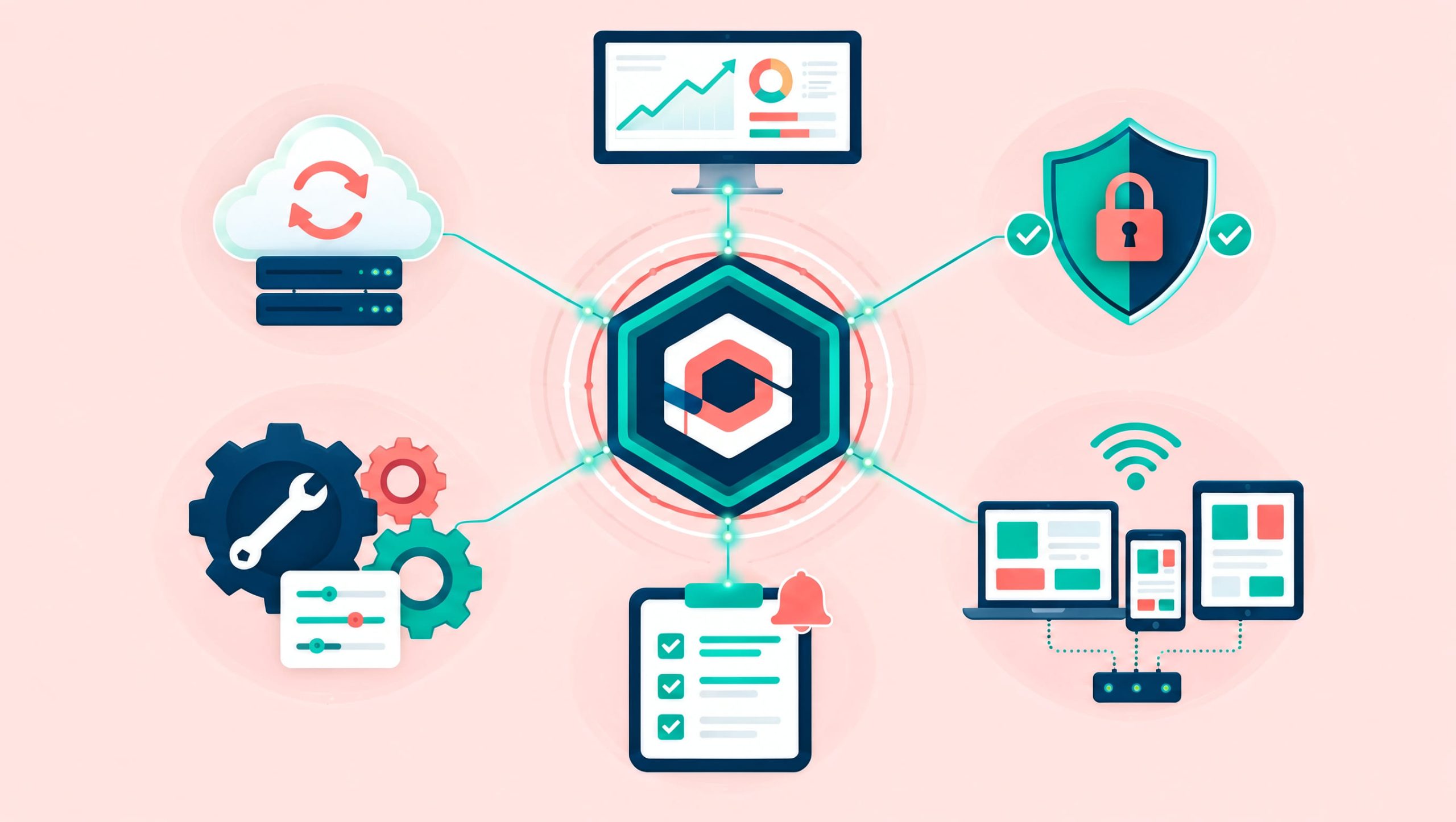
All in one MSP tools are integrated software solutions that help Managed Service Providers manage multiple IT services through a centralized platform. Instead of using separate applications for every task, MSPs can connect monitoring, support, automation, and business workflows.
These platforms commonly include:
- Remote monitoring and management
- Help desk and ticketing
- Automated patch management
- Remote access and troubleshooting
- Endpoint inventory
- IT automation
- Customer management
- Reporting and analytics
- Service delivery workflows
Some platforms also offer billing, contract management, backup, or cybersecurity capabilities. However, these features may require additional subscriptions or third-party integrations. The main goal is to reduce operational complexity while improving service consistency.
Why MSPs Need Integrated Management Tools
Managed service providers often support customers with different devices, networks, applications, and security requirements. Without connected management systems, technicians may spend significant time transferring information between platforms. For example, a monitoring tool might detect a server failure, but a technician must manually create a ticket in another application. This creates unnecessary delays. All in one MSP tools help connect these processes.
Common Challenges MSPs Face
- Multiple disconnected dashboards
- Duplicate data entry
- Delayed ticket creation
- Manual patch management
- Limited customer visibility
- Inconsistent reporting
- High administrative workloads
- Difficulty scaling services
Integrated platforms can reduce these challenges by improving communication between tools and teams.
Key Benefits of All in One MSP Tools
Improved Technician Productivity
Technicians can access monitoring alerts, device information, and support records through connected workflows. This reduces time spent searching across separate systems.
Lower Operational Costs
Automation and centralized administration can reduce repetitive tasks. MSPs may also simplify vendor management by consolidating selected tools.
Faster Incident Response
Monitoring alerts can trigger support workflows, helping technicians respond sooner.
Better Customer Experience
Consistent ticket handling, proactive maintenance, and accurate reporting improve service quality.
Greater Scalability
All in one MSP tools help MSPs support growing customer environments without increasing manual work at the same rate.
RMM Software as the Foundation of MSP Operations
RMM software is one of the most important components of an integrated MSP platform. Remote Monitoring and Management tools allow technicians to monitor and maintain customer devices from a centralized console.
Common capabilities include:
- Endpoint performance monitoring
- Device health alerts
- Remote troubleshooting
- Patch deployment
- Software installation
- Maintenance scheduling
- Device inventory
- Automated scripts
Proactive Monitoring
RMM software helps MSPs identify technical problems before they cause major disruptions. For example, monitoring tools may detect low disk space, failed services, or unusual resource usage. Technicians can investigate these issues before they affect business operations.
Centralized Endpoint Visibility
A unified dashboard provides information about managed devices across customer environments. This helps technicians prioritize maintenance and identify recurring problems.
PSA Software for Business and Service Management
PSA software, or Professional Services Automation software, helps MSPs manage business and service delivery processes. While RMM software focuses on technical operations, PSA platforms support customer service workflows and business administration.
Common PSA capabilities include:
- Ticket management
- Technician scheduling
- Time tracking
- Contract management
- Billing workflows
- Customer records
- Service-level agreement tracking
- Business reporting
Connect RMM and PSA Workflows
When RMM and PSA systems communicate, monitoring alerts can create service tickets automatically. Technicians can review device information, record work, and update ticket status without repeatedly entering the same details. This improves workflow consistency. However, MSPs should verify the depth of integration before selecting a platform.
MSP Automation Tools for Better Efficiency
MSP automation tools help service providers reduce manual maintenance and administrative work. Automation can perform routine activities based on schedules, monitoring conditions, or predefined rules.
Examples include:
- Patch deployment
- Disk cleanup
- Service restarts
- Software installation
- Device health checks
- Ticket creation
- Alert notifications
- Reporting
- User onboarding tasks
Reduce Repetitive Work
Consider an MSP managing 800 endpoints. If technicians spend five minutes manually checking every device, one complete round requires more than 66 hours. Automated monitoring can reduce much of this effort. This allows technicians to focus on complex problems and customer support.
Maintain Automation Controls
Automation should include appropriate permissions, testing, logging, and approval processes. Critical changes should not run without considering their potential impact on customer systems.
Endpoint Management Software for MSPs
Endpoint management software helps MSPs maintain control over customer computers, servers, and other supported devices. It provides visibility into device health, configurations, installed applications, and maintenance status. When endpoint management connects with other MSP tools, technicians can work more efficiently.
Important Endpoint Management Features
- Device discovery
- Hardware inventory
- Software inventory
- Patch management
- Configuration policies
- Remote access
- Device grouping
- Maintenance reporting
Improve Device Lifecycle Management
MSPs can use endpoint information to support device onboarding, ongoing maintenance, and replacement planning. Accurate inventory records also help identify outdated systems and unsupported software.
All in One MSP Tools and Cybersecurity
Cybersecurity is a major responsibility for managed service providers. Customers expect MSPs to maintain reliable systems while reducing avoidable security risks. All in one MSP tools can support cybersecurity through monitoring, patch management, configuration controls, and integrations with security platforms. However, an integrated MSP platform does not automatically replace specialized security technologies.
Important Security Capabilities
MSPs should evaluate:
- Multi-factor authentication
- Role-based access control
- Secure remote access
- Patch compliance monitoring
- Endpoint security integrations
- Administrative audit logs
- Customer environment separation
- Security alert management
Reduce Endpoint Exposure
Unpatched applications and poorly configured devices can increase security risks. Automated maintenance and consistent endpoint policies help MSPs address these weaknesses. Security workflows should also include incident escalation and remediation procedures.
Remote Support and Help Desk Integration
Remote support allows technicians to troubleshoot customer devices without visiting physical locations. When remote access connects with ticketing and monitoring systems, technicians gain useful context before starting a support session. For example, a ticket may include the affected device, monitoring alert, and recent maintenance history. This reduces investigation time.
Improve Ticket Resolution
A connected support workflow may include:
- Monitoring detects an issue.
- A ticket is created.
- The ticket is assigned to a technician.
- The technician reviews endpoint details.
- Remote troubleshooting begins.
- The issue is resolved.
- The ticket is updated.
- The customer receives a status notification.
This structured approach improves accountability and service consistency.
Common Mistakes When Choosing MSP Management Tools
MSPs sometimes select platforms based only on advertised features or subscription prices. This can lead to unexpected costs and operational problems.
Common mistakes include:
- Ignoring integration requirements
- Overlooking technician training
- Selecting tools without testing workflows
- Failing to review security controls
- Underestimating implementation costs
- Ignoring customer-specific requirements
- Enabling excessive monitoring alerts
- Failing to measure automation results
All in one MSP tools should simplify operations rather than introduce new complexity. A practical trial can help identify limitations before full deployment.
Best Practices for Implementing All in One MSP Tools
1. Review Existing Tools
Identify overlapping applications and disconnected workflows.
2. Define Business Requirements
Document customer needs, technician responsibilities, and service expectations.
3. Prioritize Core Capabilities
Focus on monitoring, ticketing, remote support, patching, and automation.
4. Test Integrations
Verify that information moves correctly between connected systems.
5. Establish Security Policies
Configure authentication, permissions, and customer access boundaries.
6. Standardize Workflows
Create consistent processes for alerts, incidents, and maintenance.
7. Train Technicians
Ensure employees understand the platform and its automation controls.
8. Measure Results
Track service performance, technician productivity, and operational costs. These practices help MSPs achieve more reliable outcomes.
Actionable Steps to Select the Right MSP Platform
MSPs can follow a practical evaluation process:
- Identify existing operational challenges.
- List essential platform capabilities.
- Review current software expenses.
- Compare available management platforms.
- Test monitoring and ticketing workflows.
- Evaluate patch deployment and automation.
- Verify security and customer separation.
- Calculate total ownership costs.
- Train a small group of technicians.
- Measure results before wider deployment.
Start with the workflows that create the greatest administrative burden. Then expand usage as the platform demonstrates reliable performance.
Frequently Asked Questions
Q1: What are all in one MSP tools?
All in one MSP tools are integrated software platforms that combine functions such as remote monitoring, ticketing, endpoint management, automation, and reporting to simplify managed service operations.
Q2: Why do MSPs need integrated management software?
Integrated tools reduce duplicate work, improve technician productivity, connect service workflows, and provide better visibility across customer environments.
Q3: What is the difference between RMM and PSA software?
RMM software focuses on monitoring and maintaining endpoints. PSA software manages service and business workflows such as ticketing, contracts, billing, and time tracking.
Q4: Can all in one MSP tools improve cybersecurity?
Yes. They can support patch management, endpoint monitoring, access controls, and security integrations. However, dedicated security tools may still be required.
Q5: Are all in one MSP tools suitable for small MSPs?
Yes. Small MSPs can benefit from centralized management, automation, and consistent service workflows. The right platform depends on budget, customer requirements, and technical capabilities.
Final Thoughts
Managing a growing MSP business requires more than reliable technical support. Service providers must maintain customer environments, respond to incidents, control operational costs, and deliver consistent service quality. All in one MSP tools help simplify these responsibilities by connecting monitoring, ticketing, endpoint management, remote support, and automation.
By combining RMM software, PSA software, MSP automation tools, and endpoint management software, MSPs can reduce repetitive work, improve technician productivity, and strengthen customer service.However, successful implementation requires careful platform selection, appropriate security controls, consistent workflows, and regular performance reviews. MSPs should prioritize solutions that match their service requirements and support long-term business growth.
With the right tools and processes, managed service providers can improve operational efficiency, deliver reliable services, and build stronger customer relationships.

 Loading...