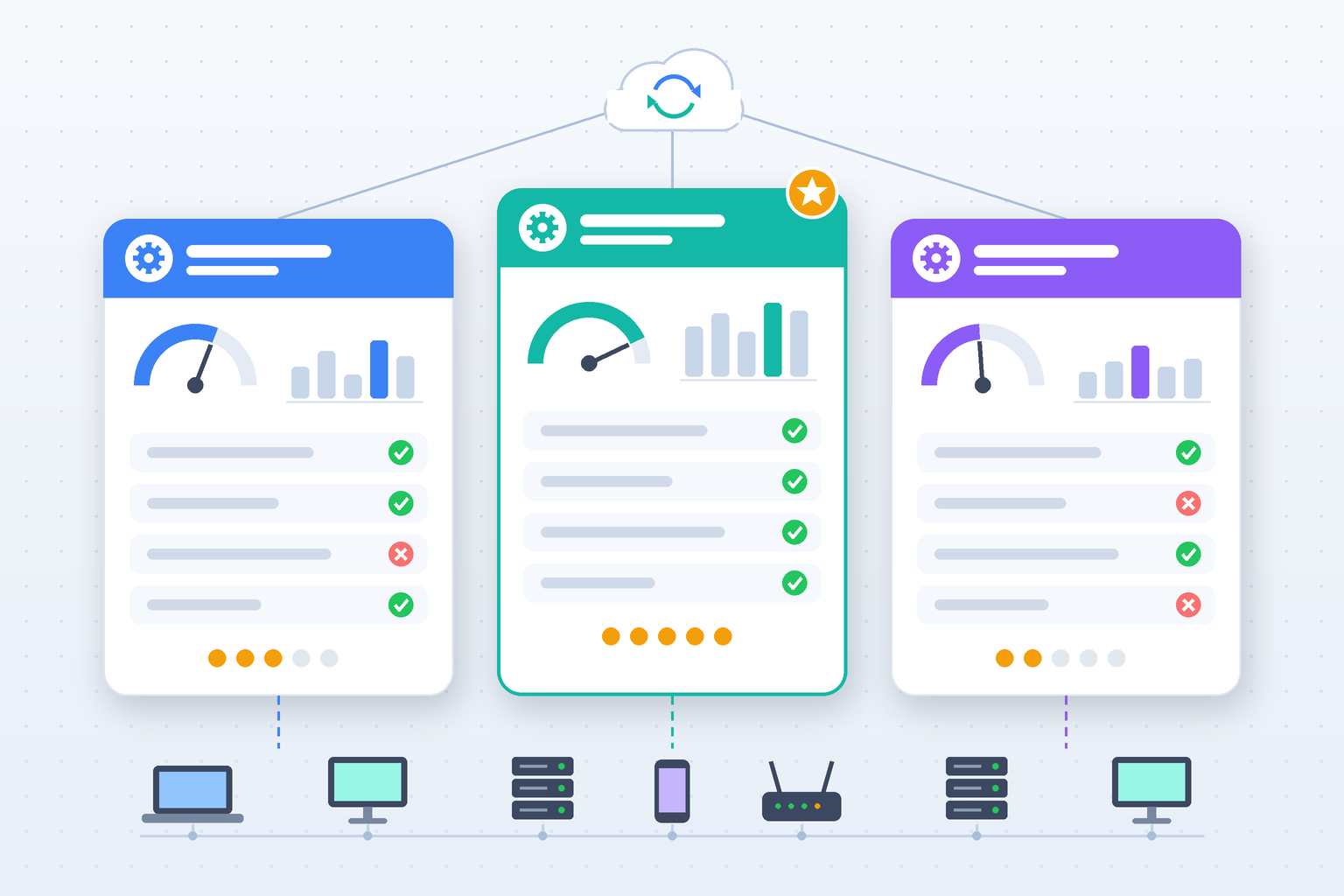
Are your IT technicians spending too much time switching between dashboards, handling repeated alerts, and fixing problems that could have been prevented? Choosing the right remote management platform can make a major difference. An effective RMM tools comparison helps businesses and managed service providers evaluate monitoring, automation, patching, security, and support capabilities before investing in new software.
As IT environments become more complex, organizations need reliable tools to manage devices across offices, homes, and cloud environments. The right platform can reduce manual work, improve response times, and support business growth.
This article compares popular solutions and explains the key features to consider, including RMM software, remote monitoring and management, automated patch management, and MSP management software.
What is RMM Software
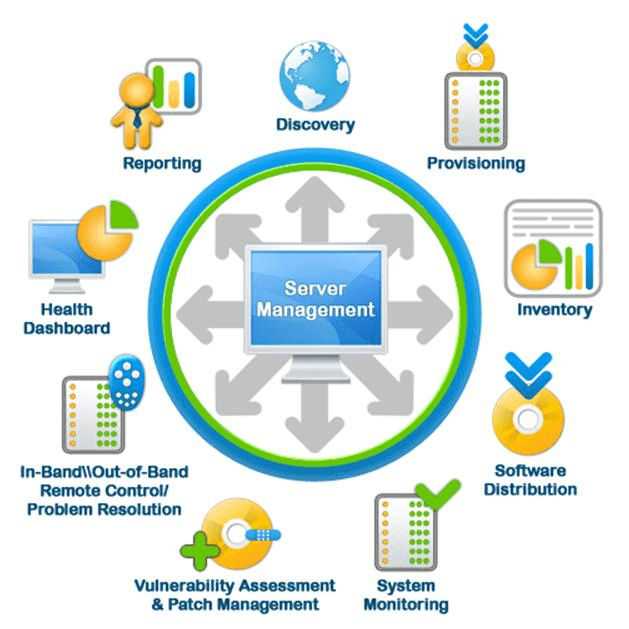
Remote Monitoring and Management (RMM) software helps IT teams and Managed Service Providers (MSPs) monitor, maintain, and support endpoints from a central platform. These endpoints may include desktops, laptops, servers, and other supported devices.
RMM software allows technicians to detect problems, perform maintenance, install updates, and troubleshoot systems without visiting every location.
Common capabilities include:
- Real-time endpoint monitoring
- Automated patch deployment
- Remote access and troubleshooting
- Device inventory management
- Performance alerts
- Maintenance scripting
- Software deployment
- Reporting and analytics
A detailed RMM tools comparison should evaluate how effectively each platform handles these tasks rather than focusing only on the number of advertised features.
Why an RMM Tools Comparison Matters
Not every RMM platform serves the same type of organization. Some solutions focus on endpoint visibility and automation. Others combine monitoring with ticketing, professional services automation, or broader IT management workflows. Choosing unsuitable software can create unnecessary costs and operational complexity.
An RMM tools comparison helps businesses identify:
- Essential technical capabilities
- Supported operating systems
- Automation features
- Security controls
- Integration options
- Licensing structures
- Technician usability
- Long-term scalability
For example, a small MSP may prioritize simple setup and predictable costs, while a larger provider may need detailed customer policies and extensive automation. The right choice depends on operational requirements.
RMM Tools Comparison: Popular Platforms
Several established RMM platforms are available for MSPs and internal IT teams. Each offers a different approach to remote monitoring and management.
1. ITarian
ITarian provides cloud-based IT management capabilities designed to help organizations monitor endpoints, manage patches, provide remote support, and handle service requests. Its connected management approach may appeal to MSPs seeking to reduce the number of separate tools used for daily operations.
Key areas to evaluate:
- Remote monitoring and endpoint management
- Patch management
- Remote access
- Service desk workflows
- Automation capabilities
- Device inventory
ITarian may be worth considering for organizations that want monitoring and support functions within a connected IT management environment.
2. NinjaOne
NinjaOne focuses on endpoint management, monitoring, patching, and automation. It is designed to help IT teams manage distributed devices through a centralized interface.
Key areas to evaluate:
- Endpoint visibility
- Automated maintenance
- Patch deployment
- Remote support
- Device management
- Reporting
NinjaOne may appeal to teams that prioritize endpoint administration and technician workflows.
3. Atera
Atera combines RMM capabilities with service management and automation features. Its technician-based licensing model is a notable consideration for MSPs evaluating costs.
Key areas to evaluate:
- Remote monitoring
- Ticket management
- Automation
- Patch management
- Remote access
- AI-assisted workflows
Atera may suit smaller or growing service providers that prefer integrated technical and support functions.
4. N-able N-central
N-able N-central provides remote monitoring, automation, patch management, and endpoint administration capabilities. It is commonly evaluated by MSPs managing varied customer environments.
Key areas to evaluate:
- Detailed device monitoring
- Policy-based management
- Automation
- Patch deployment
- Security integrations
- Multi-customer administration
N-central may be suitable for organizations that require detailed monitoring and policy control.
5. ConnectWise RMM
ConnectWise RMM supports endpoint monitoring, automation, and remote management workflows. It may be especially relevant to service providers evaluating integration with other ConnectWise products.
Key areas to evaluate:
- Endpoint monitoring
- Automated maintenance
- Remote access
- Alert management
- Technician workflows
- Service management integrations
ConnectWise RMM may appeal to MSPs seeking connected operations within an established service management ecosystem.
RMM Tools Comparison Table
The following table summarizes the main evaluation focus of each platform.
| RMM Platform | Main Focus | Potential Fit |
|---|---|---|
| ITarian | Connected endpoint and service management | MSPs and IT teams seeking integrated workflows |
| NinjaOne | Endpoint management and automation | Teams prioritizing device visibility |
| Atera | RMM, ticketing, and technician-based licensing | Small and growing MSPs |
| N-able N-central | Detailed monitoring and policy management | MSPs with complex customer environments |
| ConnectWise RMM | Monitoring and service ecosystem integration | MSPs using connected service platforms |
This is a high-level comparison, not a feature-by-feature verification. Product capabilities, pricing, and included services may change, so organizations should confirm current details before purchasing.
Key Features to Compare in RMM Software
A useful RMM tools comparison should examine the capabilities that affect daily IT operations.
Real-Time Endpoint Monitoring
Monitoring helps technicians detect device failures, resource shortages, and performance problems. Important metrics include CPU usage, memory consumption, disk space, and service availability. Look for configurable alerts that help technicians focus on meaningful issues.
Automated Patch Management
Automated patch management helps organizations deploy approved operating system and application updates. Evaluate patch scheduling, approval controls, failure reporting, and supported software.
Remote Access and Support
Secure remote access allows technicians to troubleshoot customer devices without traveling to physical locations. Check authentication, session permissions, connection reliability, and activity logging.
Automation and Scripting
Automation reduces repetitive maintenance tasks. Common examples include disk cleanup, software deployment, service restarts, and routine health checks.
Reporting and Analytics
Reports help IT teams understand device health, patch compliance, alert trends, and technician performance. They also support customer communication and service reviews.
RMM Tools Comparison for Cybersecurity
Security should be a major consideration when evaluating remote management platforms. RMM software often provides technicians with powerful access to managed devices. If an administrative account becomes compromised, the impact may extend across multiple endpoints.
A thorough RMM tools comparison should assess:
- Multi-factor authentication
- Role-based access control
- Administrative audit logs
- Secure remote sessions
- Customer environment separation
- Patch compliance visibility
- Credential management practices
- Security tool integrations
Protect Administrative Access
Technicians should receive only the permissions required for their responsibilities. Organizations should also review privileged accounts and remove unnecessary access. RMM software supports security operations, but it does not replace dedicated endpoint protection, backup, or incident response solutions.
RMM Tools Comparison: Pricing and Total Cost
Pricing is another important factor when choosing an RMM platform. Some vendors charge per endpoint, while others use technician-based pricing or customized subscription plans. An accurate RMM tools comparison should consider the total cost of ownership, not just the advertised subscription fee.
Costs to Evaluate
-
Monthly or annual subscription fees
-
Number of managed endpoints
-
Technician licenses
-
Remote access add-ons
-
Security integrations
-
Implementation and training
-
Support and maintenance
A low initial price may become expensive if essential features require separate subscriptions. MSPs should request pricing based on their actual device count and expected growth.
How RMM Software Improves MSP Efficiency
MSP management software helps service providers organize technical operations and customer support. When RMM platforms connect with ticketing and automation systems, technicians can resolve issues more efficiently. For example, a monitoring alert may trigger a service ticket, notify the assigned technician, and provide device information. This reduces manual data entry and improves response times.
Benefits for Growing MSPs
-
Faster incident detection
-
Reduced repetitive maintenance
-
Better technician productivity
-
Improved customer reporting
-
More consistent service delivery
-
Lower operational overhead
The right RMM platform should support growth without increasing administrative work at the same rate.
Common Mistakes When Comparing RMM Tools
Organizations sometimes choose software based on brand recognition or advertised features without testing actual workflows. This can create problems after implementation. Common mistakes include ignoring operating system compatibility, overlooking security controls, and underestimating training requirements. Another mistake is selecting software without reviewing its integration capabilities. A strong RMM tools comparison should also consider the quality of vendor support and the reliability of automation features.
Best Practices for Choosing the Right RMM Platform
Follow these steps before making a final decision:
-
Identify your organization’s monitoring requirements.
-
List essential endpoint management features.
-
Compare automation and patch management capabilities.
-
Evaluate security and access controls.
-
Review pricing and licensing structures.
-
Test remote support workflows.
-
Verify integration with existing systems.
-
Measure performance during a trial.
-
Collect feedback from technicians.
-
Select the platform that best supports business goals.
Testing real workflows helps organizations make informed decisions.
Frequently Asked Questions
Q1: What is an RMM tools comparison?
An RMM tools comparison evaluates remote monitoring platforms based on features, automation, patch management, security, pricing, and operational requirements.
Q2: Which RMM tools are popular among MSPs?
ITarian, NinjaOne, Atera, N-able N-central, and ConnectWise RMM are established options that MSPs can evaluate.
Q3: What features should RMM software include?
Important features include endpoint monitoring, automated patch management, remote access, scripting, reporting, and secure administrative controls.
Q4: Can RMM software improve cybersecurity?
Yes. RMM software can support patching, device monitoring, and security workflows. However, dedicated security tools may still be necessary.
Q5: How should small MSPs compare RMM platforms?
Small MSPs should evaluate pricing, ease of use, automation, supported devices, integrations, and scalability before choosing a platform.
Final Thoughts
Choosing the right remote monitoring platform is essential for organizations seeking efficient IT operations and reliable customer support. A comprehensive RMM tools comparison helps businesses understand differences in monitoring, patch management, automation, security, and pricing. ITarian, NinjaOne, Atera, N-able N-central, and ConnectWise RMM each offer capabilities worth evaluating against specific operational needs.
Rather than selecting software based on feature lists alone, organizations should test real workflows, calculate ownership costs, and consider long-term scalability. The right RMM platform can reduce manual tasks, improve technician productivity, strengthen endpoint visibility, and support sustainable business growth.

 Loading...