Transforming Managed Services with RMM & PSA Integration
Updated on August 13, 2026, by ITarian
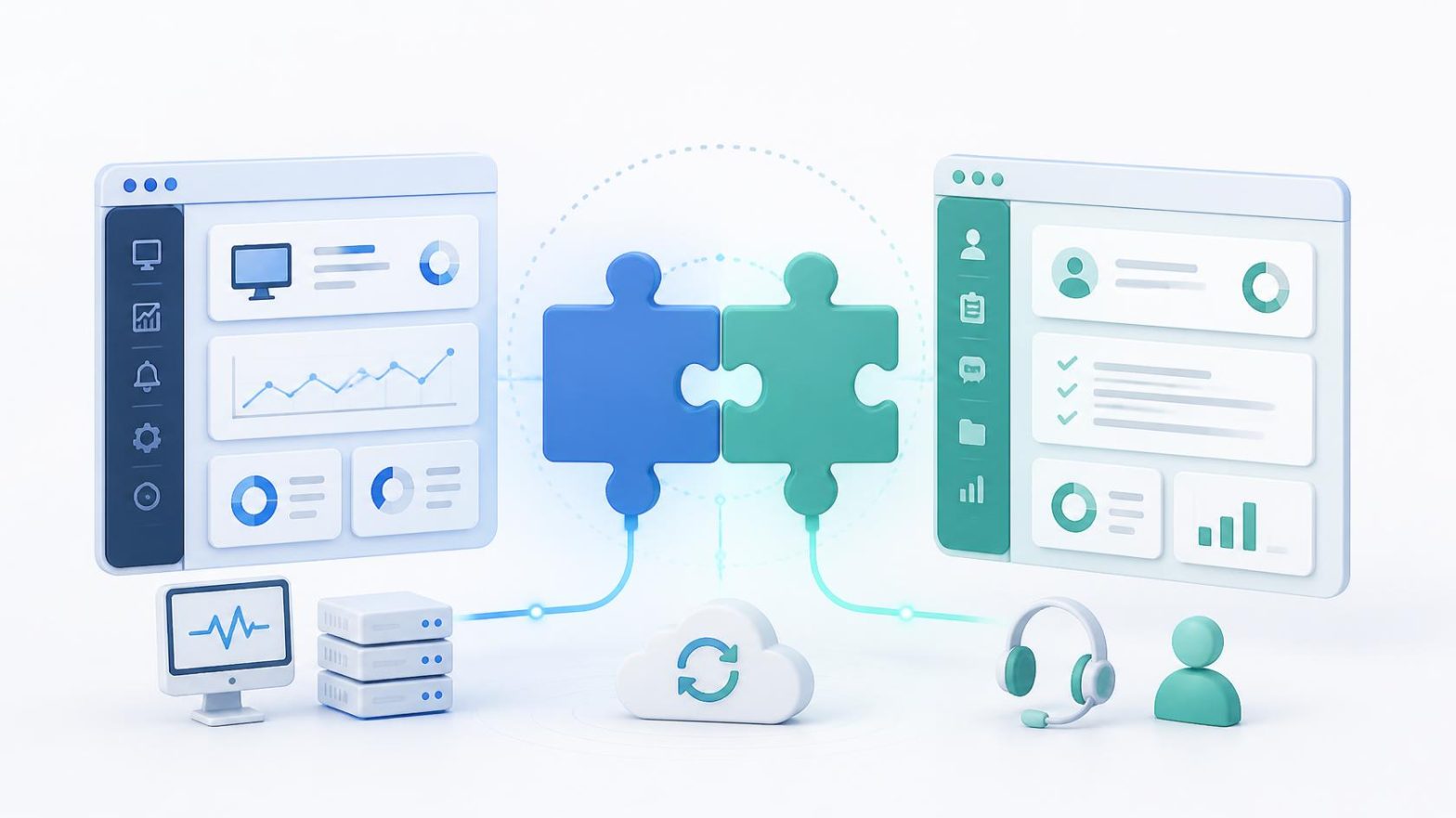
What happens when your monitoring platform and service desk finally work as one? Many Managed Service Providers (MSPs) still struggle with disconnected tools, duplicate data entry, delayed ticket handling, and inconsistent reporting. These inefficiencies slow technicians down and reduce profitability. RMM & PSA integration solves these challenges by connecting technical operations with business workflows into a single, automated ecosystem. As organizations continue expanding their hybrid infrastructure and cybersecurity initiatives, integrating Remote Monitoring and Management (RMM) with Professional Services Automation (PSA) has become a strategic investment for MSPs, IT managers, and business leaders seeking greater efficiency, stronger security, and improved customer experiences.
What is RMM & PSA Integration
RMM & PSA integration connects a Remote Monitoring and Management platform with a Professional Services Automation solution so that operational data flows automatically between both systems. Rather than managing monitoring, ticketing, billing, contracts, and reporting separately, the integration creates a unified workflow.
An RMM platform focuses on technical operations such as:
- Endpoint monitoring
- Patch management
- Remote support
- Device inventory
- Automated maintenance
- Performance monitoring
A PSA platform manages business operations including:
- Help desk ticketing
- Service Level Agreements (SLAs)
- Project management
- Time tracking
- Billing and invoicing
- Customer communication
- Contract management
When integrated, alerts generated by the RMM automatically create service tickets in the PSA, synchronize asset information, and update technicians throughout the incident lifecycle.
Why RMM & PSA Integration Matters
Today’s MSPs support thousands of endpoints spread across cloud, on-premises, and hybrid environments.
Managing these environments using disconnected systems creates unnecessary work.
Common problems include:
- Duplicate ticket creation
- Manual asset updates
- Delayed incident response
- Billing inaccuracies
- Poor technician visibility
- Inconsistent customer reporting
RMM & PSA integration eliminates these inefficiencies through automated synchronization and workflow automation.
Instead of switching between multiple applications, technicians work within a connected operational environment.
Key Benefits of RMM & PSA Integration
Faster Incident Response
The biggest advantage of RMM & PSA integration is speed.
When an endpoint generates an alert, the RMM platform immediately creates a corresponding ticket inside the PSA system.
Technicians receive complete diagnostic information without manually entering data.
This significantly reduces Mean Time to Resolution (MTTR).
Automated Ticket Creation
Manual ticket creation consumes valuable technician time.
Integrated systems automatically:
- Generate tickets
- Assign priorities
- Route requests
- Update statuses
- Close resolved incidents
Automation improves consistency while reducing administrative overhead.
Improved Asset Management
Accurate asset information is essential for support, compliance, and reporting.
Integration continuously synchronizes:
- Devices
- Users
- Software inventories
- Customer information
- Configuration details
Technicians always work with current information.
Better SLA Compliance
Meeting Service Level Agreements requires timely responses.
Integrated workflows ensure alerts are converted into tickets immediately while escalation rules automatically notify the appropriate technician.
Increased Technician Productivity
Rather than spending time copying information between systems, technicians focus on solving customer issues.
Automation reduces repetitive administrative work while improving service quality.
How RMM & PSA Integration Works
A typical integrated workflow follows these steps:
- The RMM platform detects an issue.
- A ticket is automatically created within the PSA.
- Asset information synchronizes with the ticket.
- Automated workflows assign the ticket.
- Technicians begin remediation.
- Resolution updates synchronize automatically.
- Time tracking and billing information are recorded.
- Reports are generated for both internal teams and customers.
This seamless process minimizes manual intervention while improving operational efficiency.
Essential Features of an Integrated Solution
Intelligent Alert Management
Effective integrations prevent duplicate tickets by correlating related alerts.
Technicians receive actionable incidents instead of overwhelming notification volumes.
Automated Workflow Automation
Modern platforms automate repetitive activities such as:
- Ticket routing
- Escalation
- Patch deployment
- Script execution
- Maintenance scheduling
This reduces operational costs while improving consistency.
Unified Reporting
Decision-makers benefit from centralized dashboards showing:
- Ticket performance
- SLA compliance
- Endpoint health
- Technician productivity
- Customer satisfaction
- Financial performance
Comprehensive reporting improves strategic planning.
Contract Synchronization
Customer contracts stored within the PSA automatically align with monitored assets inside the RMM.
This improves billing accuracy while preventing unsupported devices from remaining unmanaged.
Cybersecurity Advantages of RMM & PSA Integration
Cybersecurity requires rapid response and complete visibility.
RMM & PSA integration strengthens security operations by connecting monitoring tools with service management processes.
Common security use cases include:
Vulnerability Management
When vulnerabilities are detected, automated tickets initiate remediation workflows immediately.
Patch Management
Security patches can be deployed automatically while documenting every action for compliance reporting.
Security Incident Response
Alerts generated by endpoint protection tools automatically create high-priority incidents for investigation.
Compliance Documentation
Integrated reporting simplifies audits by documenting remediation timelines, technician actions, and policy compliance.
These capabilities improve operational resilience while reducing security risks.
Best Practices for Successful RMM & PSA Integration
Organizations achieve better results by following proven implementation strategies.
Standardize Operational Processes
Before integrating systems, document existing workflows.
Clear procedures produce more reliable automation.
Define Ticket Priorities
Not every alert requires immediate action.
Configure severity levels based on business impact.
Automate Routine Maintenance
Use automation for repetitive activities such as:
- Software updates
- Backup verification
- Health checks
- Disk cleanup
- Service restarts
Technicians can then focus on complex incidents.
Train Technical Teams
Even the best technology requires knowledgeable users.
Provide ongoing education to maximize platform capabilities.
Advanced Use Cases for RMM & PSA Integration
As MSPs grow, RMM & PSA integration becomes more than an operational convenience. It creates an intelligent service ecosystem where monitoring, automation, billing, and customer support work together.
Proactive Device Maintenance
Instead of waiting for users to report issues, the RMM platform continuously monitors endpoints. When performance thresholds are exceeded, automated workflows can:
- Restart services
- Clear temporary files
- Deploy scripts
- Install updates
- Verify system health
If automation cannot resolve the issue, a service ticket is automatically created with complete device context, allowing technicians to begin troubleshooting immediately.
Automated Service Requests
Routine support requests no longer require manual intervention.
Examples include:
- Password resets
- Software installations
- User provisioning
- Device enrollment
- Printer configuration
Automation reduces technician workloads while improving response times.
Asset Lifecycle Management
Integrated platforms synchronize asset inventories automatically.
Every monitored device remains linked to:
- Customer accounts
- Warranty information
- Service contracts
- Billing records
- Maintenance history
This eliminates duplicate records while improving reporting accuracy.
Contract and Billing Automation
A mature RMM & PSA integration automatically associates technician time, monitored devices, and service activities with customer contracts.
This improves invoice accuracy while reducing administrative effort.
Common Implementation Challenges
Although the benefits are significant, successful integration requires planning.
Alert Overload
Poorly configured monitoring creates excessive ticket volumes.
Organizations should:
- Define alert thresholds.
- Suppress duplicate notifications.
- Prioritize critical incidents.
- Review monitoring policies regularly.
This prevents technicians from experiencing alert fatigue.
Duplicate Customer Records
Multiple systems often contain inconsistent customer information.
Establish a single source of truth for:
- Customers
- Contacts
- Locations
- Assets
- Contracts
Accurate synchronization reduces administrative errors.
Inconsistent Workflow Design
Automation should follow standardized operational procedures.
Document every workflow before deployment to ensure consistency across technicians.
Staff Adoption
Successful implementation depends on user adoption.
Provide practical training that focuses on:
- Ticket workflows
- Automation rules
- Reporting dashboards
- Escalation policies
Well-trained teams maximize the value of integrated platforms.
Artificial Intelligence and the Future of RMM & PSA Integration
Artificial intelligence is reshaping managed services.
Modern RMM & PSA integration increasingly incorporates AI to improve operational efficiency.
Predictive Maintenance
Machine learning analyzes historical performance data to identify potential failures before users experience disruptions.
Intelligent Ticket Routing
AI automatically assigns tickets based on:
- Technician expertise
- Workload
- Priority
- Customer SLA
- Historical resolution patterns
This improves response times and balances workloads.
Automated Root Cause Analysis
Rather than simply reacting to alerts, AI correlates events across multiple systems to identify likely root causes.
Technicians spend less time investigating recurring issues.
Intelligent Reporting
AI-generated dashboards summarize operational performance while highlighting trends that require management attention.
This enables faster strategic decision-making.
Measuring Success After Integration
Organizations should monitor key performance indicators to evaluate the effectiveness of RMM & PSA integration.
Mean Time to Resolution (MTTR)
Integrated workflows should reduce incident resolution times.
First Contact Resolution
Technicians receive complete device information when tickets are created, increasing first-contact resolution rates.
SLA Compliance
Automation improves adherence to contractual response and resolution targets.
Technician Productivity
Measure:
- Tickets resolved
- Automated tasks completed
- Time saved
- Manual work eliminated
These metrics demonstrate operational improvements.
Customer Satisfaction
Improved service consistency leads to higher customer retention and stronger client relationships.
Future Trends in RMM & PSA Integration
Technology continues evolving rapidly.
Several emerging trends will shape the future of integrated service management.
Hyperautomation
Organizations increasingly combine AI, robotic process automation (RPA), and workflow automation into unified operational platforms.
Unified Endpoint Management
Future platforms will manage:
- Windows
- macOS
- Linux
- Mobile devices
- Cloud endpoints
- IoT devices
through one centralized interface.
Zero Trust Security
Security models continue moving toward continuous verification.
Integrated platforms will automatically enforce Zero Trust policies during incident response and endpoint management.
Cloud-Native Operations
Cloud-first architectures continue driving demand for scalable management platforms capable of supporting hybrid environments.
Deeper Business Intelligence
Future reporting will combine operational metrics with financial performance, allowing executives to make faster, data-driven decisions.
Actionable Checklist for Successful RMM & PSA Integration
Organizations planning an integration should:
- Define operational objectives.
- Audit existing workflows.
- Clean customer and asset data.
- Configure automated alert thresholds.
- Enable bidirectional synchronization.
- Test ticket automation thoroughly.
- Train technicians on new workflows.
- Monitor integration performance.
- Optimize automation regularly.
- Review reporting metrics continuously.
Following these best practices helps maximize long-term value while minimizing implementation risks.
Frequently Asked Questions
Q1: What is RMM & PSA integration?
RMM & PSA integration connects Remote Monitoring and Management software with Professional Services Automation tools to automate monitoring, ticketing, asset management, billing, and reporting.
Q2: Why is RMM & PSA integration important for MSPs?
It reduces manual work, improves operational efficiency, accelerates incident response, increases billing accuracy, and enhances customer satisfaction.
Q3: What tasks can be automated?
Organizations commonly automate:
- Ticket creation
- Patch deployment
- Endpoint maintenance
- Service requests
- Asset synchronization
- Reporting
- Billing updates
- Workflow approvals
Q4: Does RMM & PSA integration improve cybersecurity?
Yes. It enables faster incident response, automated vulnerability remediation, better compliance documentation, and stronger visibility across customer environments.
Q5: How do businesses measure integration success?
Common performance metrics include MTTR, SLA compliance, technician productivity, automation success rates, customer satisfaction, and recurring revenue growth.
Final Thoughts
As managed services become more complex, disconnected operational tools create unnecessary delays, manual work, and inconsistent customer experiences. RMM & PSA integration provides a unified approach that connects monitoring, automation, service management, billing, and reporting into one streamlined workflow. By integrating Remote Monitoring and Management, Professional Services Automation, MSP automation, and IT service management, organizations can improve operational efficiency, reduce response times, strengthen cybersecurity, and deliver a more consistent customer experience. Businesses that embrace a fully integrated service management strategy will be better positioned to scale operations, increase profitability, and remain competitive in the rapidly evolving managed services industry.
Move your operations forward — get started with your free ITarian trial

 Loading...