Advanced MSP Reporting Dashboards for Data-Driven Decisions
Updated on March 3, 2026, by ITarian
Are you truly seeing the full picture of your managed services performance? Many MSPs collect massive amounts of operational data but struggle to turn it into actionable insight. MSP reporting dashboards solve this challenge by transforming raw metrics into clear, visual intelligence. For cybersecurity leaders, IT managers, and MSP executives, MSP reporting dashboards are not just reporting tools. They are strategic assets that improve transparency, strengthen client trust, and drive smarter business decisions.
As IT environments grow more complex, MSP reporting dashboards provide real-time visibility into system health, security posture, compliance status, and service delivery metrics. Without structured reporting, even the most capable service provider risks operating blindly.
What Are MSP Reporting Dashboards
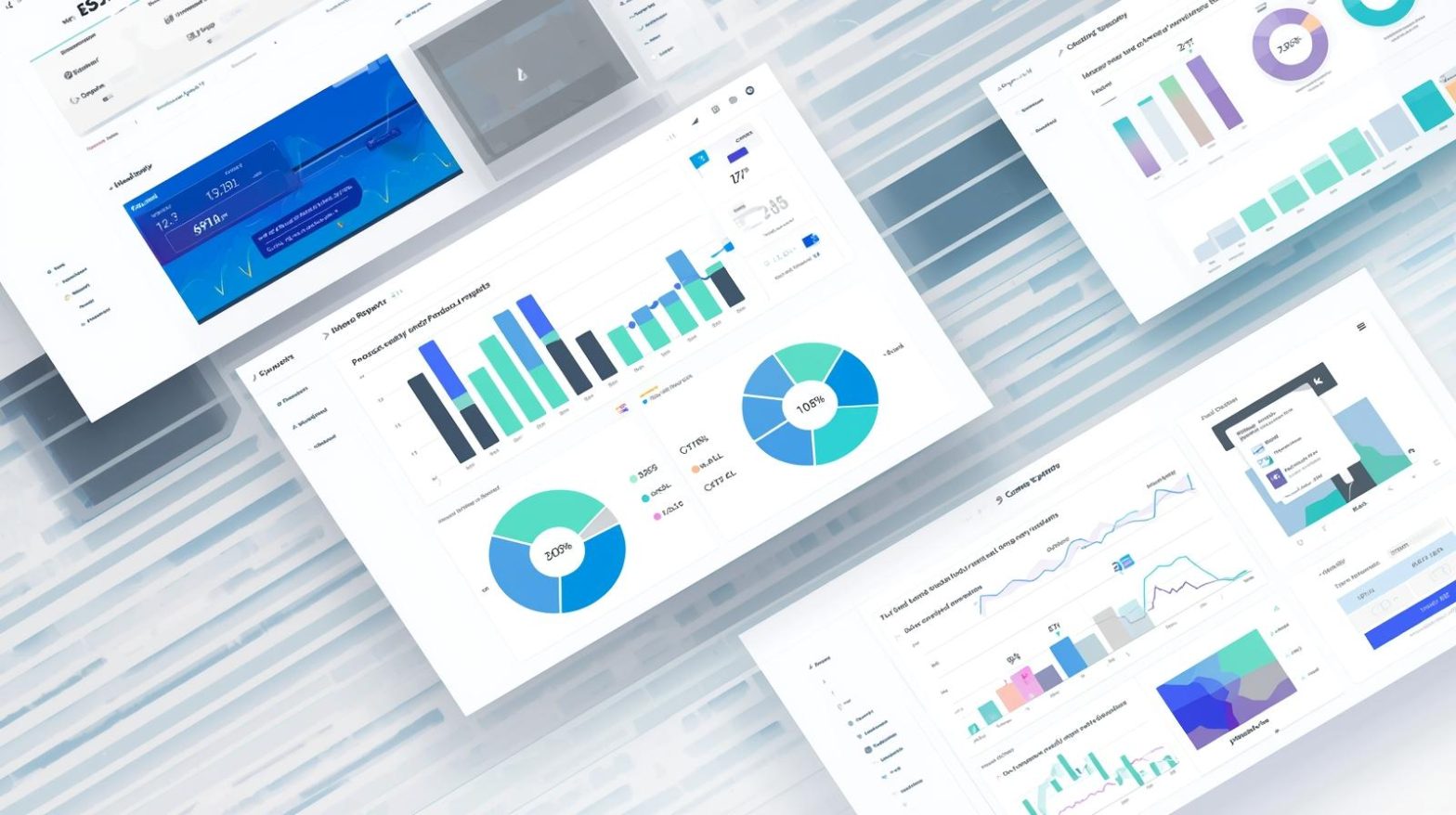
MSP reporting dashboards are centralized visual interfaces that display key performance indicators, system health data, ticket metrics, patch compliance, and security insights across multiple client environments.
Instead of relying on static spreadsheets, MSP reporting dashboards present live or scheduled data in charts, graphs, and performance summaries. These dashboards aggregate information from RMM, PSA, security tools, and network monitoring platforms into a unified view.
This unified approach enables faster decision-making and stronger accountability.
Why MSP Reporting Dashboards Matter in Modern IT Services
Managed service providers operate in data-rich environments. Each client generates metrics from endpoints, servers, cloud platforms, and network devices. Without MSP reporting dashboards, interpreting this data becomes overwhelming.
Here is why these dashboards are essential:
-
Real-time visibility across multiple clients
-
Improved SLA tracking and performance measurement
-
Clear cybersecurity status reporting
-
Faster identification of service bottlenecks
-
Stronger executive-level communication
For CEOs and founders, MSP reporting dashboards provide strategic oversight. For technicians, they offer operational clarity.
Key Metrics Displayed in MSP Reporting Dashboards
Effective MSP reporting dashboards highlight meaningful performance indicators rather than overwhelming users with excessive detail.
Common dashboard metrics include:
-
Endpoint uptime and availability
-
Patch compliance percentages
-
Security incident counts
-
Backup success rates
-
Ticket resolution times
-
SLA adherence rates
-
Network performance indicators
By organizing metrics into digestible visual formats, MSP reporting dashboards improve understanding at every level of the organization.
Enhancing Cybersecurity Visibility Through MSP Reporting Dashboards
Cybersecurity is one of the most critical responsibilities of any managed service provider. MSP reporting dashboards play a central role in maintaining strong security posture visibility.
Dashboards allow security teams to monitor:
-
Endpoint detection alerts
-
Vulnerability scan results
-
Firewall activity
-
Suspicious login attempts
-
Ransomware threat indicators
When cybersecurity data is centralized, MSPs can respond faster to threats. They can also demonstrate proactive security management to clients.
Clear reporting builds confidence and supports compliance audits.
Supporting Client Transparency and Trust
Clients expect clear communication about service performance and security posture. MSP reporting dashboards enable transparent reporting without manual data compilation.
With automated dashboards, MSPs can provide:
-
Monthly executive summaries
-
Quarterly security assessments
-
Compliance reports
-
Performance benchmarks
-
Capacity planning insights
These structured reports strengthen client relationships by showing measurable value.
Trust grows when clients see real-time evidence of service quality.
Improving Operational Efficiency With Dashboard Insights
Beyond client communication, MSP reporting dashboards improve internal efficiency.
When dashboards highlight recurring ticket categories, MSPs can identify training gaps or automation opportunities.
If patch compliance rates fall, teams can adjust deployment strategies.
If network latency trends upward, proactive infrastructure upgrades can be planned.
By turning metrics into actionable intelligence, MSP reporting dashboards support continuous improvement.
Customization and Role-Based Access
Not every stakeholder needs the same information. Effective MSP reporting dashboards offer customizable views tailored to specific roles.
Examples include:
-
Executive dashboards focused on KPIs and revenue
-
Security dashboards highlighting threats and compliance
-
Technical dashboards showing system health and performance
-
Client-facing dashboards with simplified summaries
Role-based access ensures users see relevant data without exposing sensitive information.
Customization enhances usability and clarity.
Integrating MSP Reporting Dashboards With Core Tools
MSP reporting dashboards deliver maximum value when integrated with core IT management platforms.
Key integrations include:
-
Remote monitoring and management systems
-
Professional services automation tools
-
Patch management solutions
-
Endpoint security platforms
-
Backup and disaster recovery tools
-
Cloud infrastructure monitoring
When these systems connect seamlessly, dashboards reflect accurate, up-to-date information.
Integration eliminates manual data entry and reduces reporting errors.
Common Challenges and How to Overcome Them
While MSP reporting dashboards offer significant benefits, implementation can present challenges.
One challenge is data overload. Too many metrics reduce clarity. Focus on meaningful KPIs aligned with business goals.
Another challenge is inconsistent data sources. Standardizing integrations ensures accurate reporting.
User adoption may also require training. Clear onboarding improves engagement and effectiveness.
By addressing these challenges early, MSPs maximize the value of their reporting tools.
Best Practices for Building Effective MSP Reporting Dashboards
To design impactful dashboards, MSPs should follow structured best practices.
-
Define clear objectives. Identify which metrics support business goals.
-
Prioritize simplicity. Use clean visual layouts.
-
Automate data collection. Reduce manual processes.
-
Review dashboards regularly. Update KPIs as business needs evolve.
-
Align dashboards with client expectations. Customize reports to industry requirements.
Consistency and clarity ensure dashboards remain useful rather than decorative.
The Strategic Advantage of Data-Driven MSP Operations
Data-driven decision-making separates high-performing MSPs from competitors.
MSP reporting dashboards enable strategic forecasting by identifying trends over time. For example:
-
Rising ticket volumes may indicate infrastructure strain.
-
Increasing patch delays may reveal resource constraints.
-
Declining SLA compliance may signal process inefficiencies.
By analyzing these patterns, leadership can make informed investments and operational adjustments.
In competitive markets, insight becomes a competitive advantage.
The Future of MSP Reporting Dashboards
Technology advancements are transforming dashboard capabilities. Artificial intelligence and predictive analytics are enhancing traditional reporting models.
Future MSP reporting dashboards may include:
-
Predictive incident alerts
-
Automated anomaly detection
-
Risk scoring visualizations
-
Real-time compliance tracking
-
AI-driven capacity planning
These innovations will further improve proactive service delivery.
As MSPs adopt more automation and cloud-based tools, dashboard intelligence will become even more essential.
Frequently Asked Questions
1. What are MSP reporting dashboards used for?
MSP reporting dashboards provide centralized visibility into system health, security metrics, ticket performance, and compliance data across client environments.
2. How do MSP reporting dashboards improve client communication?
They offer visual summaries and automated reports that clearly demonstrate service value and security performance.
3. Can MSP reporting dashboards enhance cybersecurity management?
Yes, centralized dashboards allow real-time monitoring of threats, vulnerabilities, and patch compliance.
4. Are MSP reporting dashboards customizable?
Most modern platforms support role-based access and customizable views for executives, technicians, and clients.
5. How often should dashboards be reviewed?
Dashboards should be monitored continuously and reviewed formally during monthly or quarterly performance evaluations.
Final Thoughts
MSP reporting dashboards transform raw operational data into meaningful insight. By centralizing visibility, improving cybersecurity transparency, and supporting strategic decisions, these dashboards become essential tools for managed service providers. In a landscape defined by complexity and growing security risks, structured reporting ensures clarity, accountability, and sustainable growth.
Drive smarter service delivery and measurable results — Move your operations forward — get started with your free ITarian trial

 Loading...