Is your organization struggling to manage laptops, desktops, mobile devices, and remote endpoints across multiple locations? As hybrid work becomes the norm, IT teams face growing challenges in maintaining device security, enforcing compliance, and supporting employees without compromising productivity. Azure device management has emerged as a powerful solution that enables businesses to centrally manage corporate devices while strengthening cybersecurity. Whether you’re an IT manager, cybersecurity professional, Managed Service Provider (MSP), or business leader, Azure device management provides the visibility and control needed to secure modern digital workplaces while simplifying endpoint administration.
What Is Azure Device Management
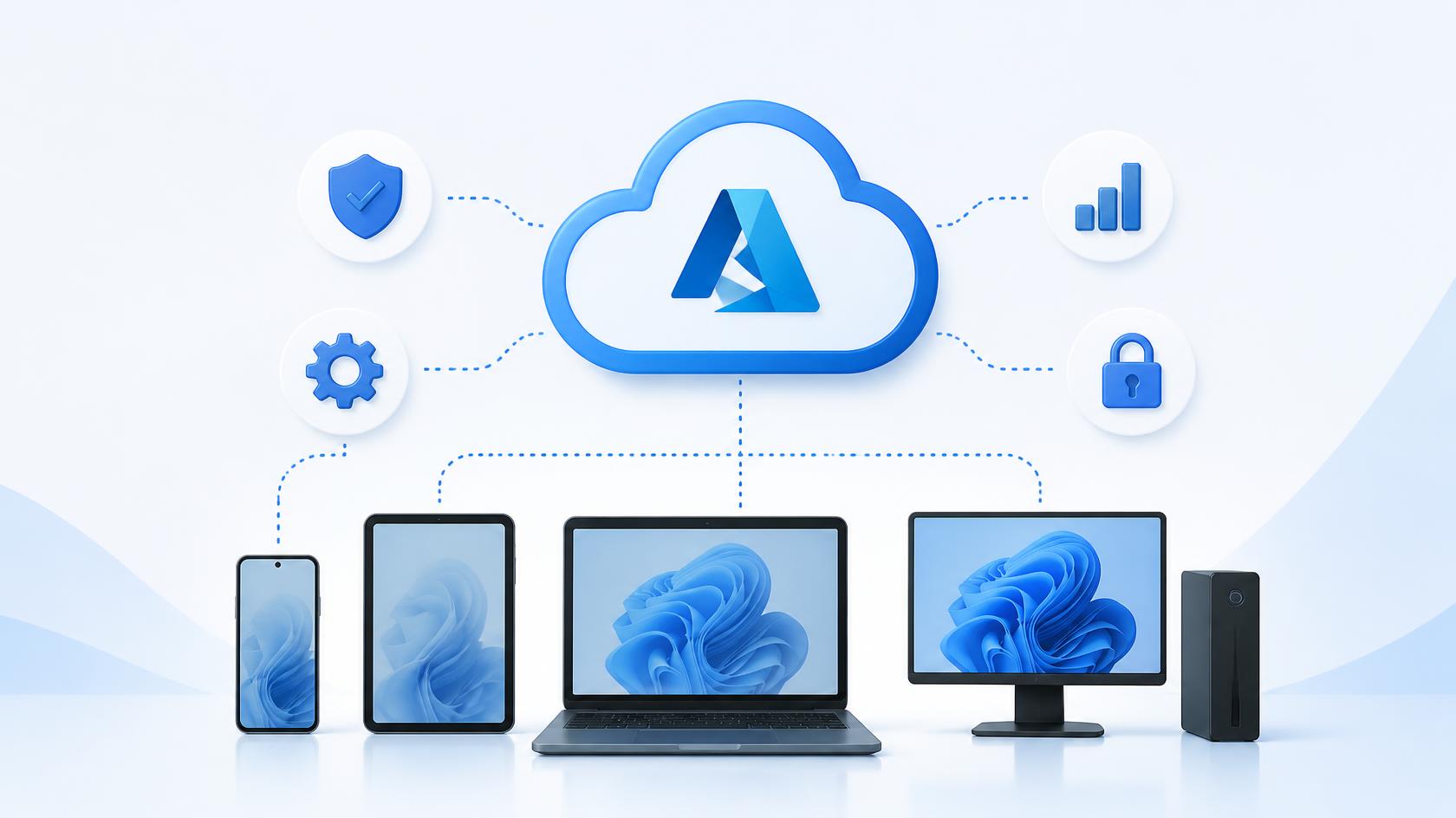
Azure device management is the process of using Microsoft’s cloud-based identity and device management services to enroll, configure, secure, and monitor organizational devices. Combined with Microsoft Intune and Microsoft Entra ID (formerly Azure Active Directory), it enables administrators to manage Windows, macOS, Android, and iOS devices from a centralized cloud platform.
Instead of relying solely on traditional on-premises management, Azure device management gives organizations greater flexibility to support hybrid workforces while maintaining security standards.
A comprehensive Azure device management strategy typically includes:
- Device enrollment
- Endpoint security
- Compliance management
- Application deployment
- Device configuration
- Conditional access
- Identity management
- Remote device actions
- Software updates
- Security monitoring
This centralized approach simplifies IT operations while improving security across the enterprise.
Why Azure Device Management Matters
Modern organizations no longer operate from a single office. Employees work from home, customer locations, branch offices, and while traveling. Every connected device represents both a productivity tool and a potential cybersecurity risk.
Azure device management addresses these challenges by providing centralized visibility and policy enforcement regardless of where devices are located.
Key benefits include:
- Improved endpoint security
- Simplified remote administration
- Consistent policy enforcement
- Better user experience
- Reduced IT workload
- Stronger regulatory compliance
Organizations gain the ability to manage thousands of devices without requiring users to connect to the corporate network.
Key Benefits of Azure Device Management
Centralized Device Administration
Managing devices individually quickly becomes impossible as organizations grow.
Azure device management allows administrators to:
- View all managed devices
- Apply security policies
- Monitor device health
- Deploy applications
- Configure operating systems
- Remove inactive devices
Everything is managed through a single administrative console.
Enhanced Endpoint Security
Cybercriminals frequently target endpoints because they provide direct access to corporate data.
Azure device management helps protect devices by enforcing:
- Encryption policies
- Password requirements
- Multi-factor authentication
- Antivirus compliance
- Firewall settings
- Device health monitoring
These controls significantly reduce organizational risk.
Improved Remote Workforce Support
Supporting remote employees no longer requires physical access to devices.
IT administrators can remotely:
- Troubleshoot issues
- Deploy software
- Update configurations
- Lock compromised devices
- Reset passwords
- Wipe lost or stolen devices
This improves operational efficiency while reducing downtime.
Simplified Compliance Management
Many industries require strict compliance with security regulations.
Azure device management automates policy enforcement and helps organizations demonstrate compliance through centralized reporting.
Core Components of Azure Device Management
Successful Azure device management relies on several integrated technologies.
Microsoft Entra ID Integration
Microsoft Entra ID provides identity and access management for users and devices.
It enables:
- Single Sign-On (SSO)
- Device registration
- Identity verification
- Conditional access
- Authentication policies
Secure identity management forms the foundation of modern endpoint security.
Microsoft Intune
Microsoft Intune serves as the primary endpoint management solution within Azure device management.
Administrators can:
- Enroll devices
- Configure security policies
- Deploy applications
- Monitor compliance
- Manage updates
- Perform remote actions
Intune supports Windows, macOS, Android, and iOS devices.
Conditional Access
Conditional Access evaluates multiple risk factors before allowing access to business resources.
Policies can consider:
- Device compliance
- User identity
- Geographic location
- Sign-in risk
- Application sensitivity
Only trusted users and compliant devices receive access.
Endpoint Security Policies
Organizations can create standardized security policies covering:
- Disk encryption
- Firewall configuration
- Microsoft Defender settings
- Password complexity
- Operating system updates
- USB restrictions
Automated policy enforcement improves security consistency across all managed devices.
Common Azure Device Management Features
Modern Azure device management platforms provide numerous capabilities that simplify administration.
Automated Device Enrollment
New devices can automatically enroll during initial setup.
Employees receive fully configured systems without requiring manual IT intervention.
Application Deployment
Applications can be deployed remotely to specific users or device groups.
Software updates are distributed automatically, ensuring users always have current versions.
Policy-Based Configuration
Administrators create configuration profiles that automatically apply settings to targeted devices.
Examples include:
- Wi-Fi settings
- VPN configurations
- Browser policies
- Email profiles
- Security baselines
This reduces manual configuration while improving consistency.
Device Compliance Monitoring
Compliance policies continuously evaluate whether devices meet organizational security standards.
Devices that fall out of compliance can trigger automated actions such as:
- User notifications
- Restricted access
- Conditional Access enforcement
- Administrative alerts
Azure Device Management and Cybersecurity
Cybersecurity is one of the primary reasons organizations implement Azure device management.
Every unmanaged endpoint represents a potential entry point for attackers.
Identity Protection
Modern attacks frequently target user credentials.
Azure device management integrates identity verification with endpoint compliance, reducing unauthorized access.
Threat Detection
Integration with Microsoft Defender enables continuous monitoring for suspicious activity across managed endpoints.
Administrators receive alerts when security threats are detected.
Data Protection
Organizations can protect sensitive corporate information through:
- Encryption
- Remote wipe
- Application protection policies
- Data loss prevention controls
These features reduce the risk of data breaches.
Zero Trust Security
Azure device management supports Zero Trust principles by continuously verifying users, devices, and security posture before granting access.
Rather than assuming trust, every request is validated using real-time security information.
Industries That Benefit from Azure Device Management
Azure device management supports organizations across virtually every industry.
Healthcare
Hospitals and healthcare providers secure medical devices, protect patient information, and maintain regulatory compliance.
Financial Services
Banks use Azure device management to protect sensitive financial systems while supporting secure remote work.
Education
Schools manage thousands of student and faculty devices through centralized cloud administration.
Manufacturing
Manufacturers secure production devices, engineering workstations, and mobile equipment across multiple facilities.
Retail
Retail organizations centrally manage point-of-sale systems, employee devices, and mobile inventory equipment.

 Loading...