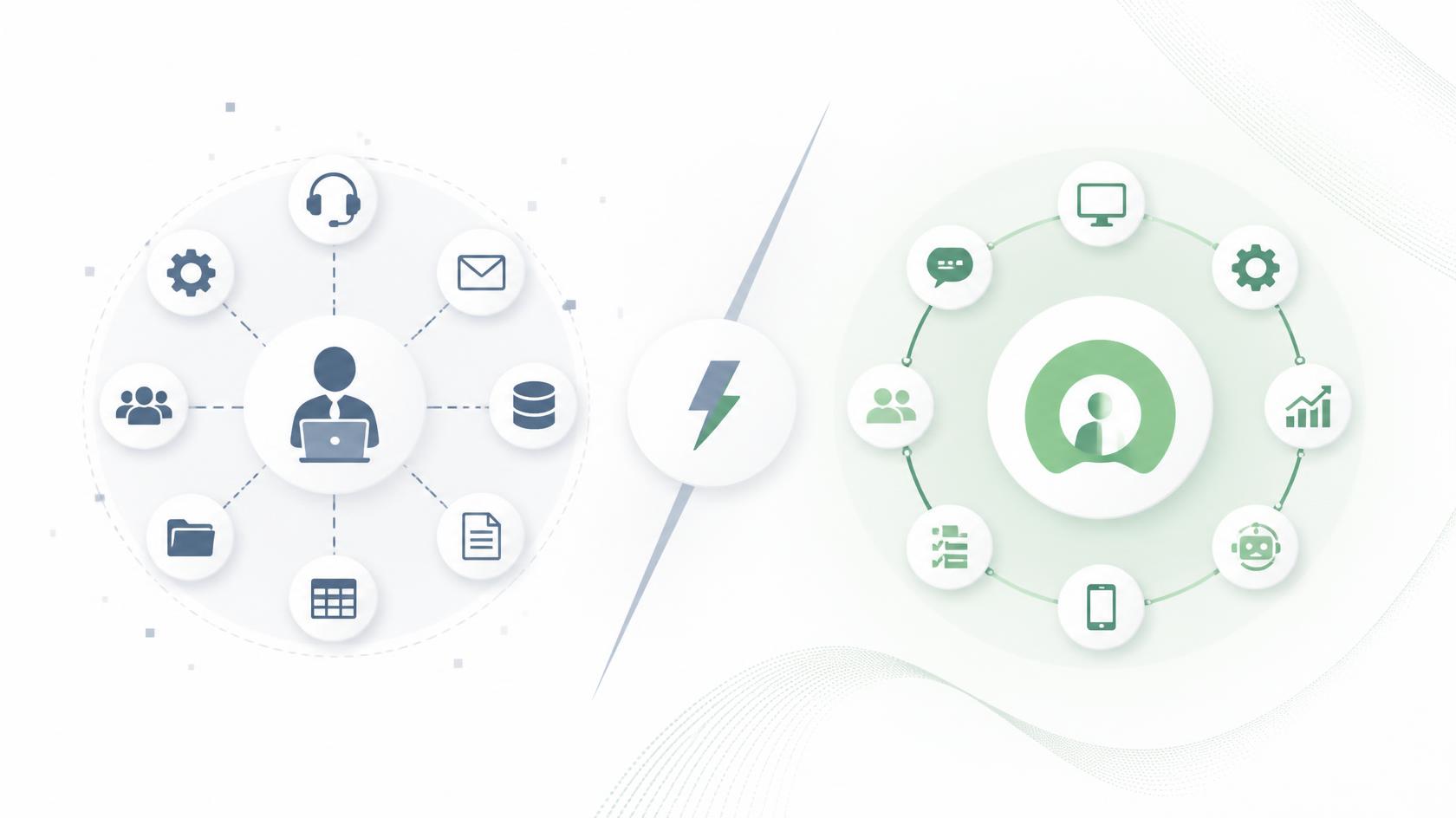
If you’ve ever evaluated IT support models or tried to improve your internal operations, you’ve likely come across the debate of help desk vs service desk. In today’s IT-driven environments, choosing the right model directly impacts efficiency, user satisfaction, and even cybersecurity posture. Within the first hundred words, it’s helpful to clarify that while both systems provide support, a help desk focuses on issue resolution, whereas a service desk offers a broader, strategic approach aligned with IT service management (ITSM).
Yet, many business leaders—even experienced IT managers—still confuse the two. This confusion often leads to misaligned processes, overwhelmed teams, and support strategies that fail to scale. Understanding the true difference between a help desk vs service desk helps organizations deploy the right tools, allocate resources wisely, and build stronger IT operations.
In this detailed guide, you’ll learn how each model works, what sets them apart, when to use each one, and how IT teams can elevate support quality across the entire enterprise.
What a Help Desk Is and How It Supports the Organization
A help desk serves as the first point of contact for users experiencing technical problems. Think of it as a reactive support function, designed to resolve immediate issues and restore service availability as quickly as possible.
What a help desk typically handles:
-
Password resets
-
Network connectivity issues
-
Software troubleshooting
-
Hardware malfunctions
-
System errors and alerts
-
Basic configuration problems
The help desk’s primary mission is simple: resolve incidents fast.
Core characteristics of a help desk:
-
Reactive rather than proactive
-
Focuses on break/fix support
-
Handles high-volume, repetitive tasks
-
Works through tickets and user requests
-
Ideal for smaller businesses or teams with limited complexity
Many organizations start with a help desk before growing into a service desk model.
What a Service Desk Is and How It Expands IT Support
A service desk is a broader, strategic support function that incorporates IT service management practices. Unlike the help desk, the service desk focuses not only on incident resolution but also on service delivery, lifecycle management, and alignment with business goals.
What a service desk typically handles:
-
All help desk functions
-
Service requests (access provisioning, onboarding, software install)
-
Change management
-
Asset and configuration management
-
Knowledge management
-
IT service lifecycle coordination
-
Root cause analysis and continual improvement
A service desk acts as a centralized hub for all IT-related interactions—not just troubleshooting.
Core characteristics of a service desk:
-
Proactive and strategic
-
Strong alignment with ITIL and ITSM
-
Supports long-term business goals
-
Provides visibility into system performance
-
Manages services rather than just resolving issues
As organizations scale, the need for a service desk becomes increasingly important.
Help Desk vs Service Desk: What Sets Them Apart?
Understanding the difference between a help desk vs service desk comes down to scope, strategy, and maturity level. While both provide essential IT support, they differ fundamentally in how they operate and what they offer.
Key differences at a glance:
| Feature | Help Desk | Service Desk |
|---|---|---|
| Primary Focus | Issue resolution | Service delivery & ITSM |
| Strategy | Reactive | Proactive & strategic |
| Scope | Limited | Comprehensive |
| User Interaction | Troubleshooting | End-to-end service requests |
| Processes | Ticket handling | ITIL/ITSM-based workflows |
| Business Alignment | Low to moderate | High |
| Ideal For | Small teams, basic environments | Growing enterprises, complex IT |
Most companies evolve from a help desk into a service desk as operations become more advanced.
When Organizations Should Use a Help Desk
A help desk is the right choice when your goal is fast issue resolution without extensive ITSM processes. It’s ideal for teams focused primarily on break/fix support rather than service strategy.
Signs your organization needs a help desk:
-
You receive a high volume of repetitive issues
-
Your IT team is small
-
You don’t have formal IT processes
-
You need fast-turnaround troubleshooting
-
Your tech environment is relatively simple
A help desk works best as an entry-level support model.
When Organizations Should Use a Service Desk
A service desk is the preferred option for enterprises, distributed environments, and teams aligned with ITIL or ITSM frameworks. It brings structure, accountability, and efficiency to IT operations.
Signs your organization needs a service desk:
-
You manage large numbers of endpoints
-
You need better service delivery and change management
-
Your team supports remote workers or multiple locations
-
You rely on automation, monitoring, and strategic reporting
-
You’re adopting or scaling ITIL practices
A service desk supports long-term performance, stability, and security.
How Help Desk vs Service Desk Impacts Cybersecurity
Security is a major concern for any IT department, and understanding how each model contributes to cybersecurity helps clarify why the distinction is important.
Help Desk: Security Limitations
-
Struggles with proactive threat detection
-
Focuses on user issues, not systemwide risk
-
Rarely integrates with advanced endpoint security
-
Lacks visibility across the entire environment
Service Desk: Security Strengths
-
Integrates deeply with endpoint management platforms
-
Supports automated patching and security workflows
-
Offers asset visibility, reducing shadow IT
-
Enables incident response coordination
-
Uses structured change management to reduce vulnerabilities
Organizations seeking a strong security posture generally require a service desk model.
How Service Desk and Help Desk Integrate With Modern IT Tools
Both models benefit from integration with tools like:
-
Remote Monitoring and Management (RMM)
-
Endpoint Detection and Response (EDR)
-
Patch management platforms
-
Asset management systems
-
Device compliance tools
-
Ticketing and workflow automation
However, a service desk typically leverages these tools more extensively since its workflows are broader and more strategic.
Real-World Examples: Help Desk vs Service Desk in Action
Example 1 — Help Desk Scenario
A user cannot connect to the Wi-Fi. The technician checks authentication, helps reconnect, closes the ticket, and moves on. This is reactive, incident-focused support.
Example 2 — Service Desk Scenario
A pattern of recurring Wi-Fi issues appears across multiple departments. The service desk analyzes root causes, updates change management logs, deploys network device patches, and documents the fix in a knowledge base. This is proactive, strategic support.
These examples illustrate the widening gap between basic troubleshooting and comprehensive IT service management.
The Business Impact of Choosing the Right Support Model
Choosing between a help desk vs service desk can greatly influence business performance. The right model affects:
User Experience
Help desks resolve issues quickly; service desks improve long-term satisfaction through better service delivery.
IT Team Productivity
Service desks offload manual work through automation and workflow management.
Cost Efficiency
A help desk is cheaper upfront, but a service desk reduces long-term operational costs.
Operational Security
Service desks improve compliance, reduce vulnerabilities, and streamline incident response.
Scalability
Help desks support smaller environments; service desks support enterprise growth.
Understanding these impacts helps businesses make more informed decisions.
Transitioning From Help Desk to Service Desk
Many organizations begin with a help desk and expand into a service desk as they grow. This transition requires planning, new tools, and process development.
Steps to evolve into a service desk:
Assess current operations
Identify gaps in workflows, capacity, and service quality.
Implement ITIL-based processes
Start with incident management, service request management, and change management.
Adopt automation tools
Use RMM, patching platforms, and ticketing workflows to reduce manual effort.
Build a centralized knowledge base
Document solutions, common issues, and best practices.
Strengthen cybersecurity monitoring
Incorporate endpoint visibility, compliance checks, and threat detection.
Train staff
Ensure your team understands ITSM concepts and tools.
Transitioning strengthens your entire IT structure and reduces operational risk.
Frequently Asked Questions
1. What is the main difference between a help desk vs service desk?
A help desk focuses on incident resolution, while a service desk manages end-to-end IT service delivery and ITSM processes.
2. Should small businesses use a help desk or service desk?
Smaller companies often start with a help desk, then upgrade to a service desk as complexity grows.
3. Is a service desk part of ITIL?
Yes, the service desk is a core component of ITIL’s service operation stage.
4. Can a help desk automate tasks?
It can, but automation is far more advanced and integrated within a service desk model.
5. What tools do service desks usually use?
RMM platforms, ITSM systems, patch management tools, asset inventory systems, and endpoint security solutions.
Final Thoughts
Understanding the difference between a help desk vs service desk is critical for building an efficient, secure, and scalable IT environment. While a help desk focuses on quick troubleshooting and restoring service availability, a service desk provides a strategic, long-term approach to IT operations. Choosing the right model—or upgrading from one to the other—can dramatically improve support quality, reduce downtime, and strengthen cybersecurity across your organization.
If you’re ready to enhance IT operations with automation, device visibility, and workflow management, now is the perfect time to explore a modern solution.

 Loading...