Talk to us

Contact ITarian

Questions about the platform? Our team is here to help.

Contact us →

Patch Management That Keeps IT Up to Date

Identify missing patches, prioritize what needs attention, and deploy updates across customer environments from one centralized platform.

Patch Management
Patch Every Environment from One Place.

Everything You Need To Manage Patches.

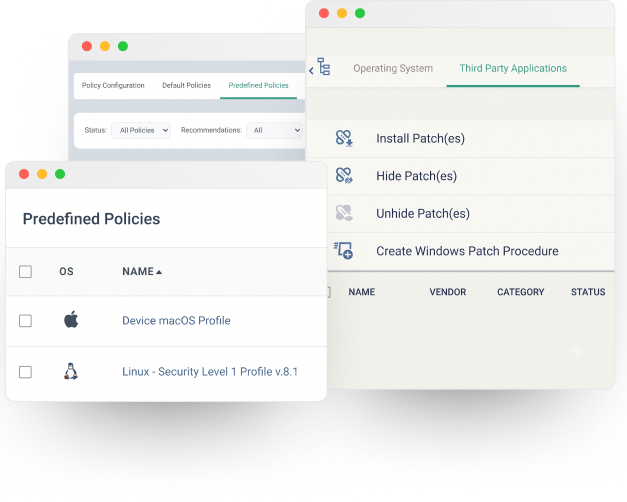
OS & Application Patching

Deploy operating system and third-party application patches automatically across all managed endpoints.

Patch Approval & Scheduling

Control which patches are approved, when they are deployed, and which devices or groups receive them.

Patch Visibility & Reporting

See installed, missing and available patches across your managed environment and generate patch-status reports.

Rollback & Remediation

Uninstall selected Windows updates when a rollback is required and manage remediation from the same environment.

Know What Needs Patching. Control When It Happens.

ITarian gives MSPs centralized visibility into missing and available patches, lets them approve or decline updates, schedule deployments, and manage patching across devices and groups.

When a Vulnerability Becomes Actionable Work

Patch management should not operate as an isolated administrative task.

A missing or critical patch can become a service event that needs investigation, prioritization and action.

Missing Patch

Identify critical and missing updates across managed devices that require attention.

Context

See the affected device, customer, patch severity, status, and related information.

Decision

Review the patch and determine whether to approve, schedule, remediate, or escalate it.

Action

Deploy the approved patch to selected devices or route the issue to a technician.

Verified

Track deployment results and confirm the patch status after the action is completed.

See Every Step of the Patching Process

Follow patches from detection to deployment, with visibility into approvals, third-party updates and workflow status.

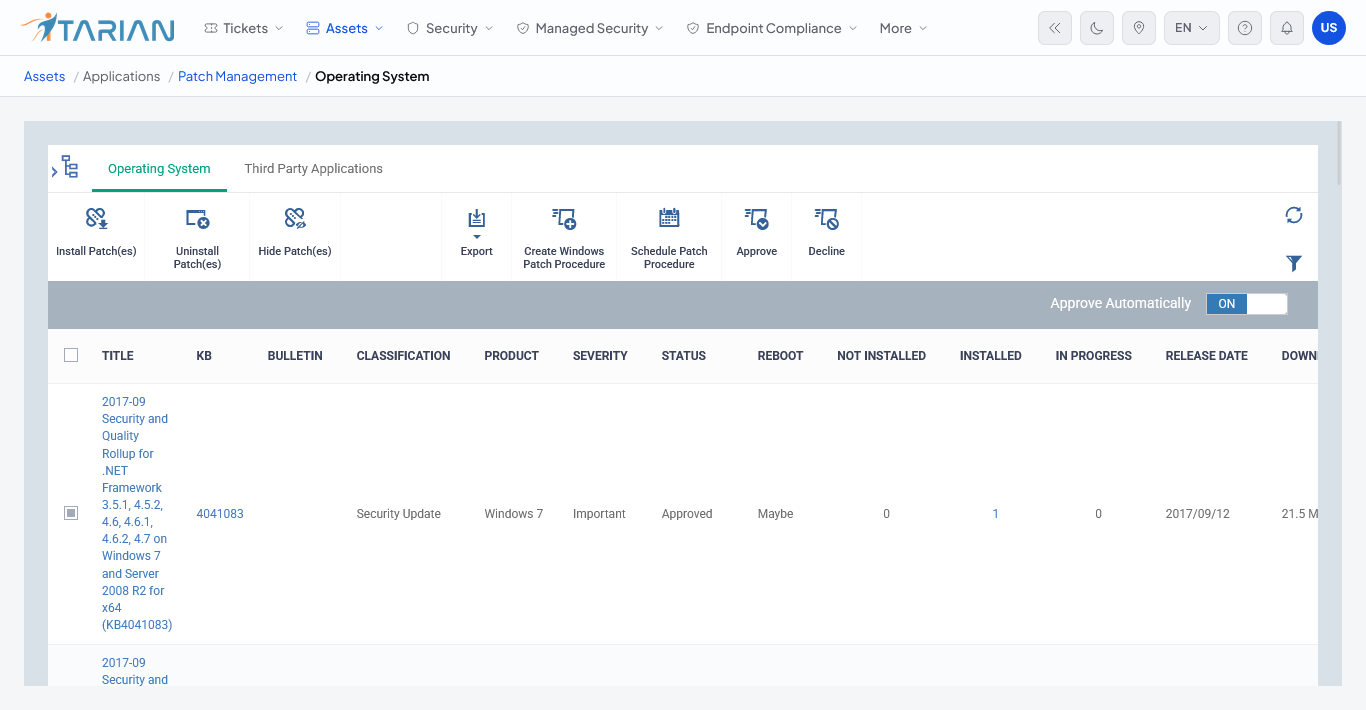
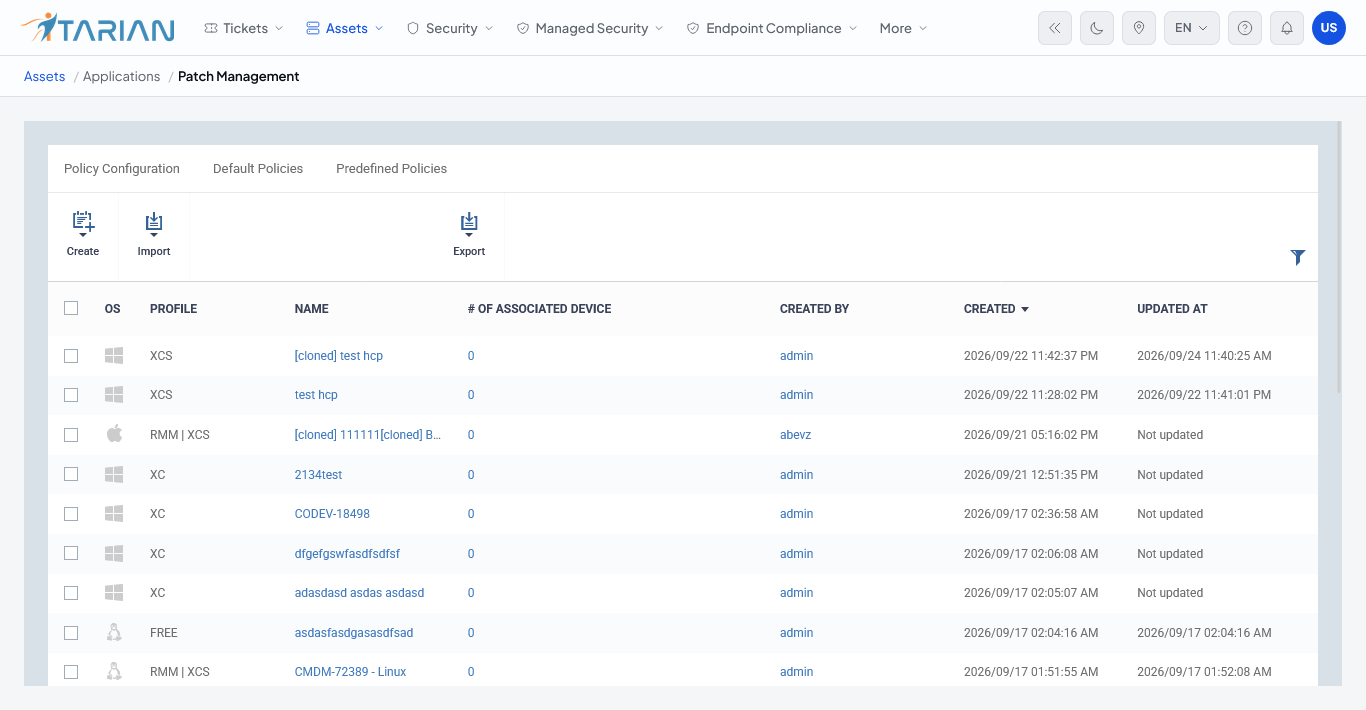
Patch Management: Identify missing and available patches across managed endpoints and control what needs to be deployed.

  • Missing patch detection
  • Patch status
  • Operating system updates
app.itarian.com/dashboard
ITarian Dashboard

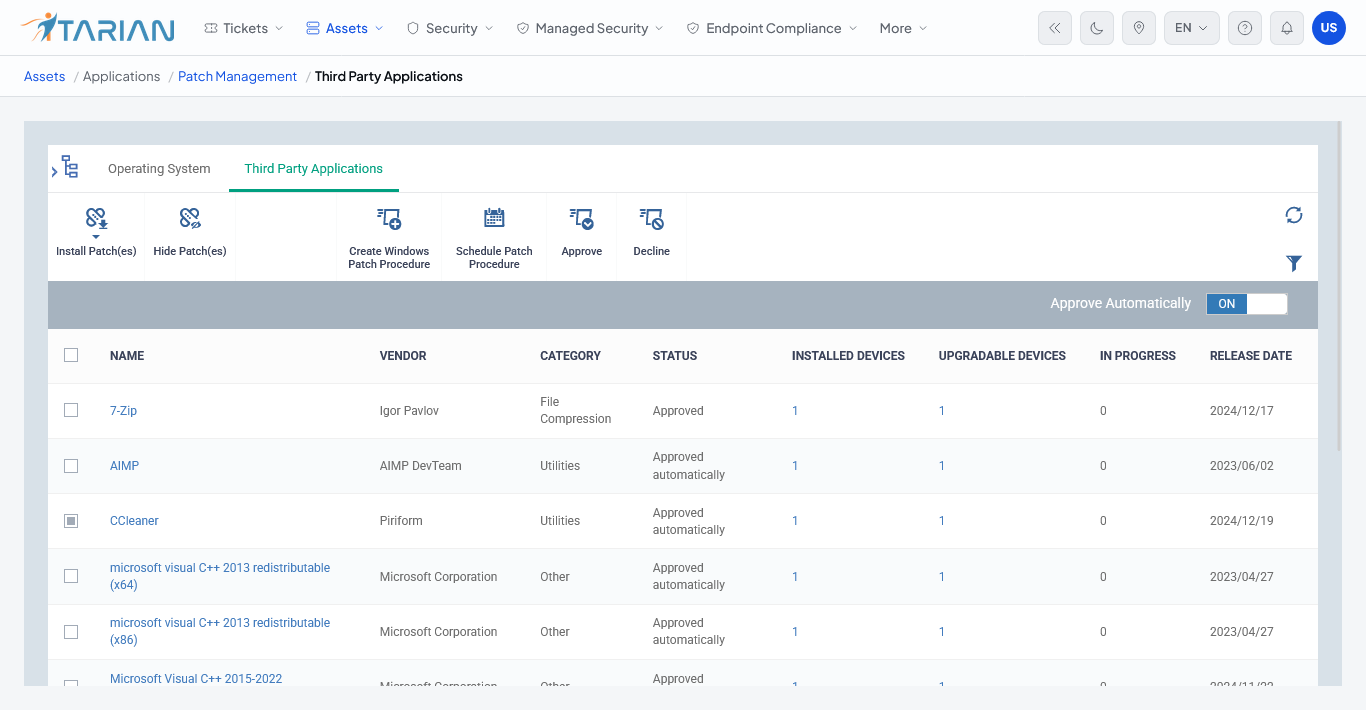
Third-Party Applications: Identify available updates for supported third-party applications on managed Windows endpoints and deploy selected patches across the devices that require them.

  • Application update detection
  • Selective patch deployment
  • Device-level patch status
app.itarian.com/dashboard
ITarian Dashboard

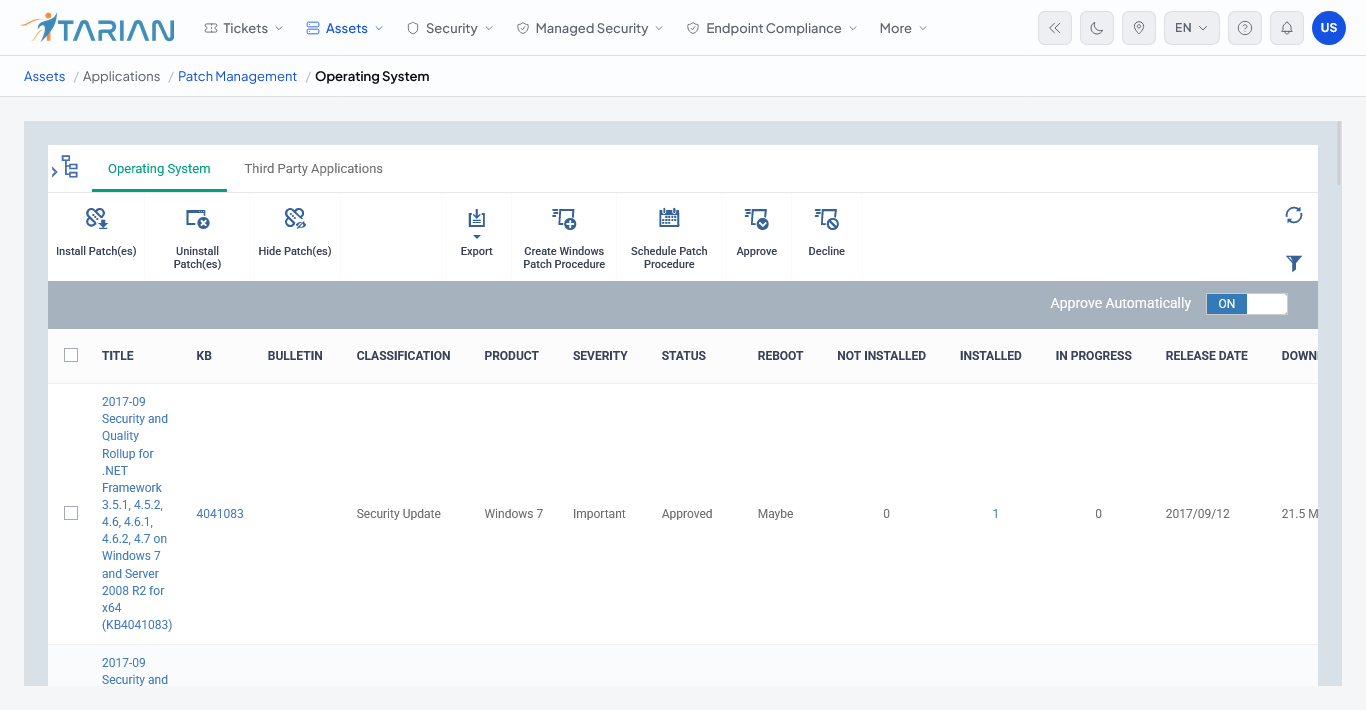
Patch Approval: Review available patches and determine which updates are approved for deployment.

  • Review available patches
  • Approve patches
  • Control deployment
app.itarian.com/dashboard
ITarian Dashboard

Patch Deployment: Deploy approved patches to selected devices or groups and review the resulting deployment status.

  • Device and group targeting
  • Scheduled deployment
  • Deployment status
app.itarian.com/dashboard
ITarian Dashboard

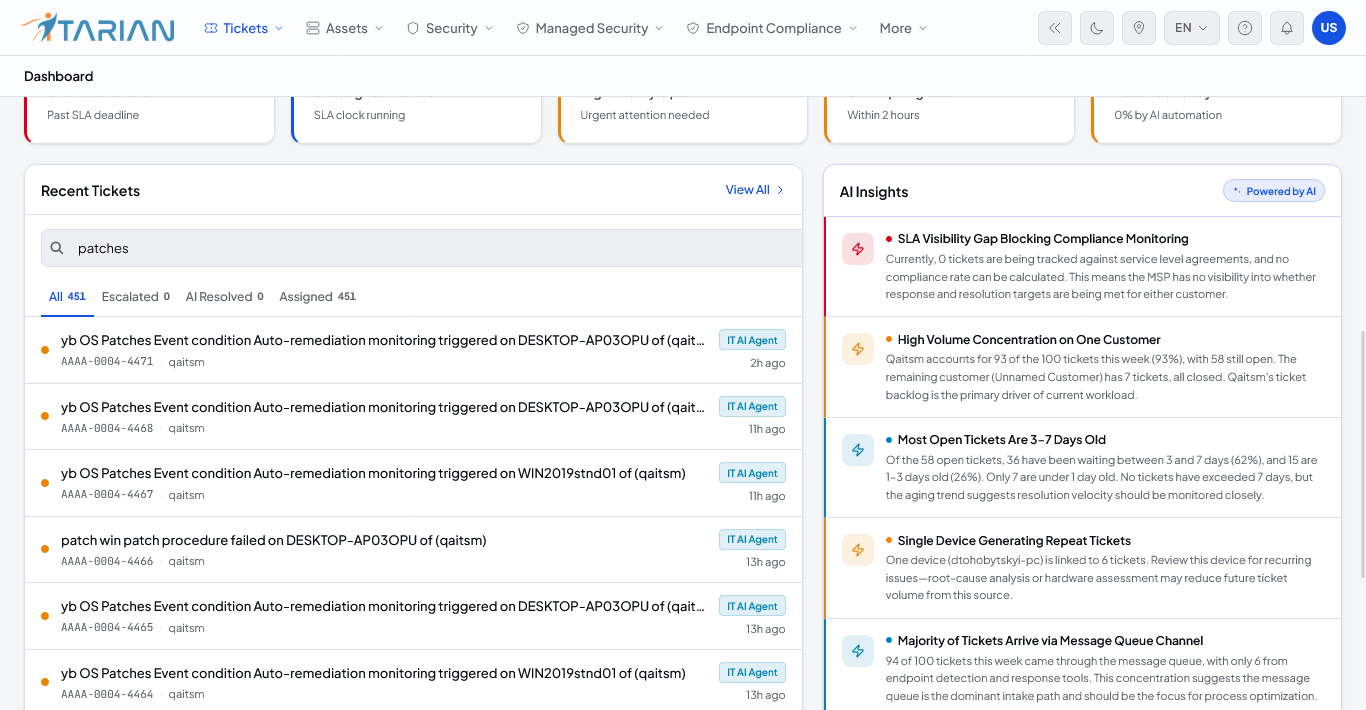
Patch Workflow: Bring patch events into the service workflow when a failed or critical update requires investigation or action.

  • Patch failure events
  • Ticket creation
  • Connected device context
app.itarian.com/dashboard
ITarian Dashboard

Everything You Need.
AI Across Everything You Do.

One AI-native platform to run and grow your MSP.

Get Free →